Posts Overview
What is Posts Overview?
The Social AI Composer helps you create, schedule, and manage social media content across multiple platforms in one place. Whether posting a single update or running a campaign, you can customize each post for every network.
Why is Posts Overview important?
- Publish to multiple social accounts at once
- Customize content per platform
- Schedule or save drafts
- Ensure posts meet platform-specific limits
- Use grammar and AI tools to improve quality
What's included
- AI Post Creation: Use AI tools to generate engaging post content
- Posting Content: Step-by-step guide to publishing content
- Using Images: Best practices for image content and optimization
- Image and Video Requirements: Technical specifications and platform requirements
- Posting Videos: Complete guide to video content posting
- Share Reviews as Posts: Convert customer reviews into social media content
- Long-Form Blog Content: Publish blog content through Social AI
- Manage Posts: Edit, delete, and organize your scheduled and published posts
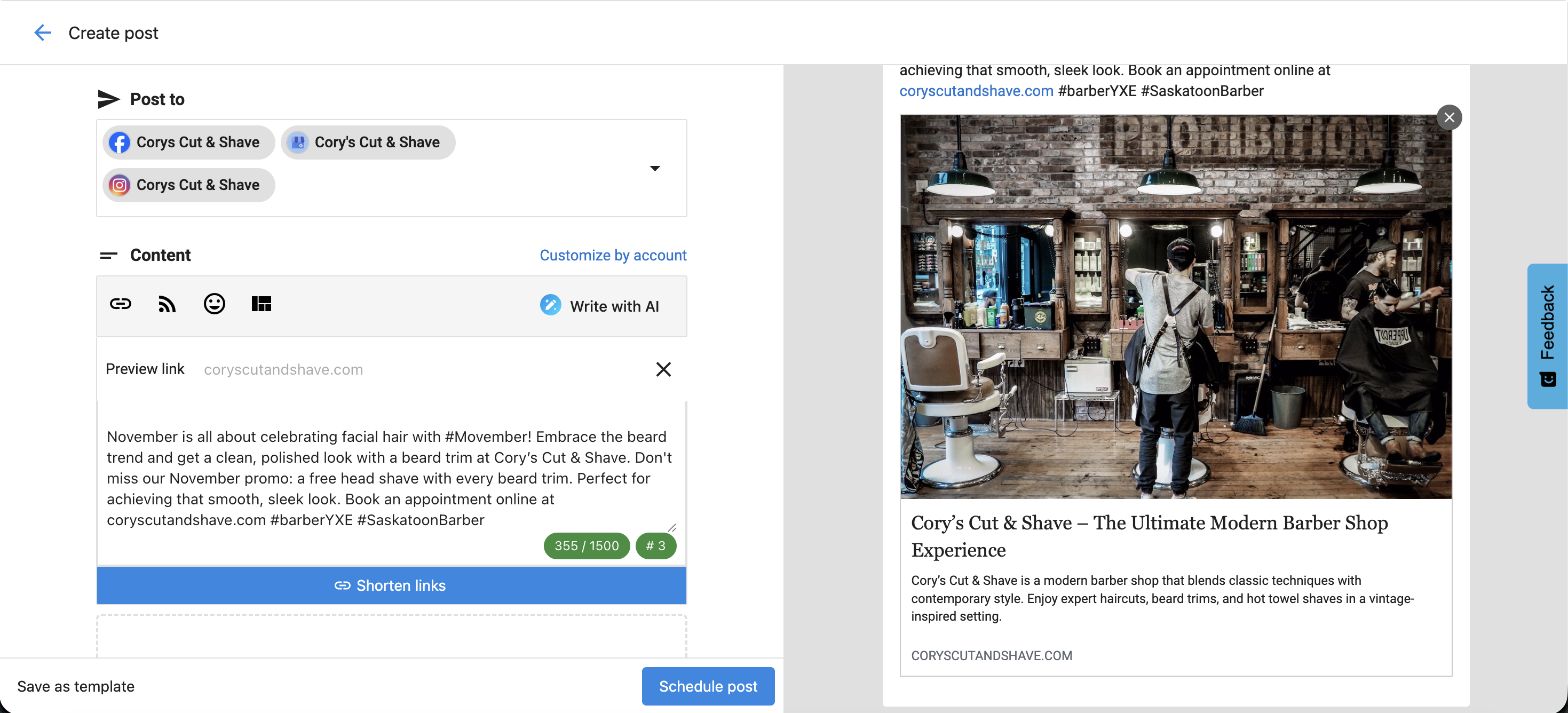
How to Compose a Post
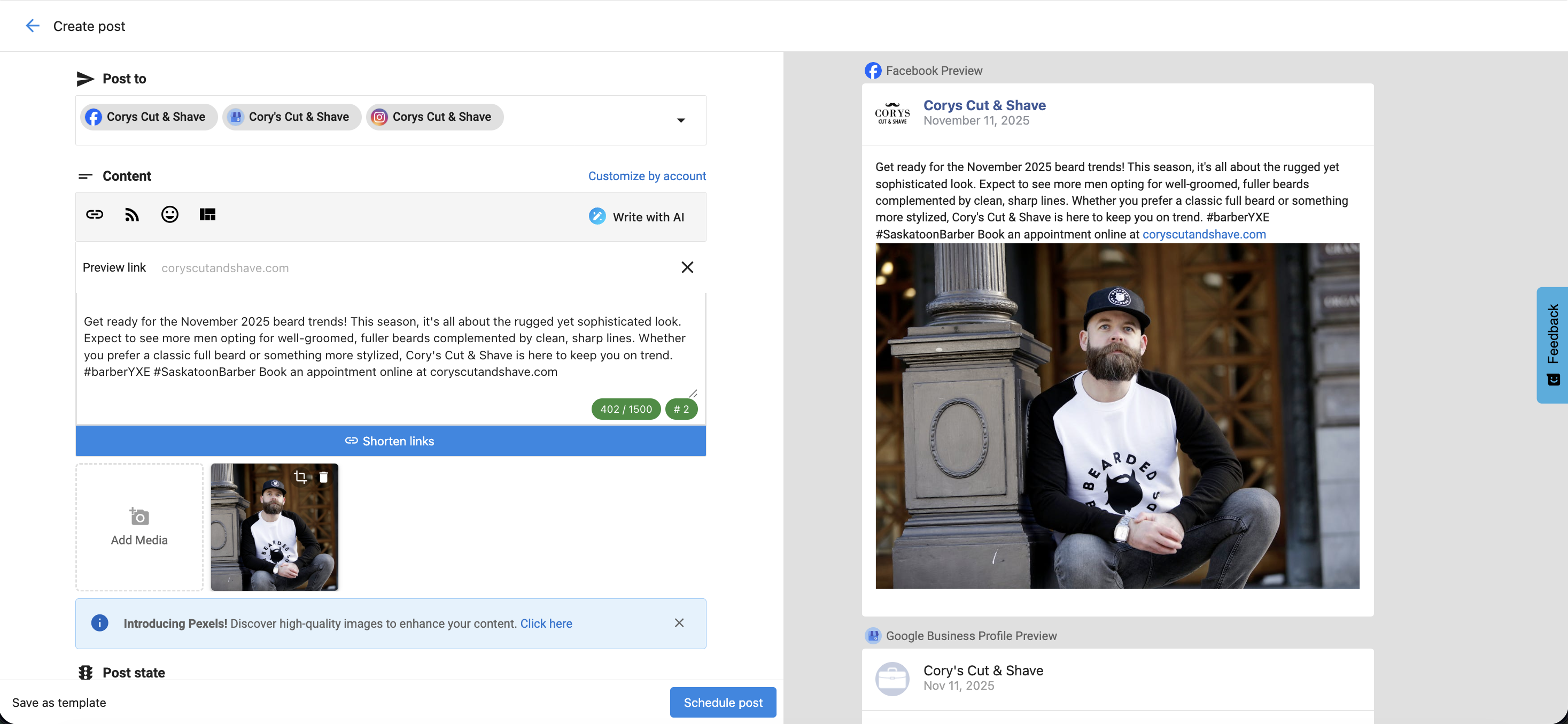
- Go to
Social AI. - Click
ComposeorCreate. - Choose Social Accounts under the
Post tosection.- You can select multiple social accounts across platforms.
- Only one X (Twitter) account can be selected per post due to X's publishing rules.
- Posts cannot be scheduled or published to expired accounts.
- Write Content under the
Contentfield:- Use
Write with AIto generate post text. - Shorten links to track performance or fit character limits on X (Twitter).
- Add emojis, hashtags, or tagged accounts.
- Insert content from RSS feeds or curated sources.
- Save posts as templates for future use, or apply existing templates.
- Use
Customize by Accountto adjust text for different platforms.
- Use
- Add Media
- Upload your own images or videos.
- Use
Stock ImageryorGenerate Image with AI. - Instagram requires an image; TikTok requires a video.
- YouTube requires a video and a title (set in
Advanced Options).
- Schedule or Publish
- Choose
Post Now,Schedule, orSave as Draft.
- Choose
Platform-Specific Options
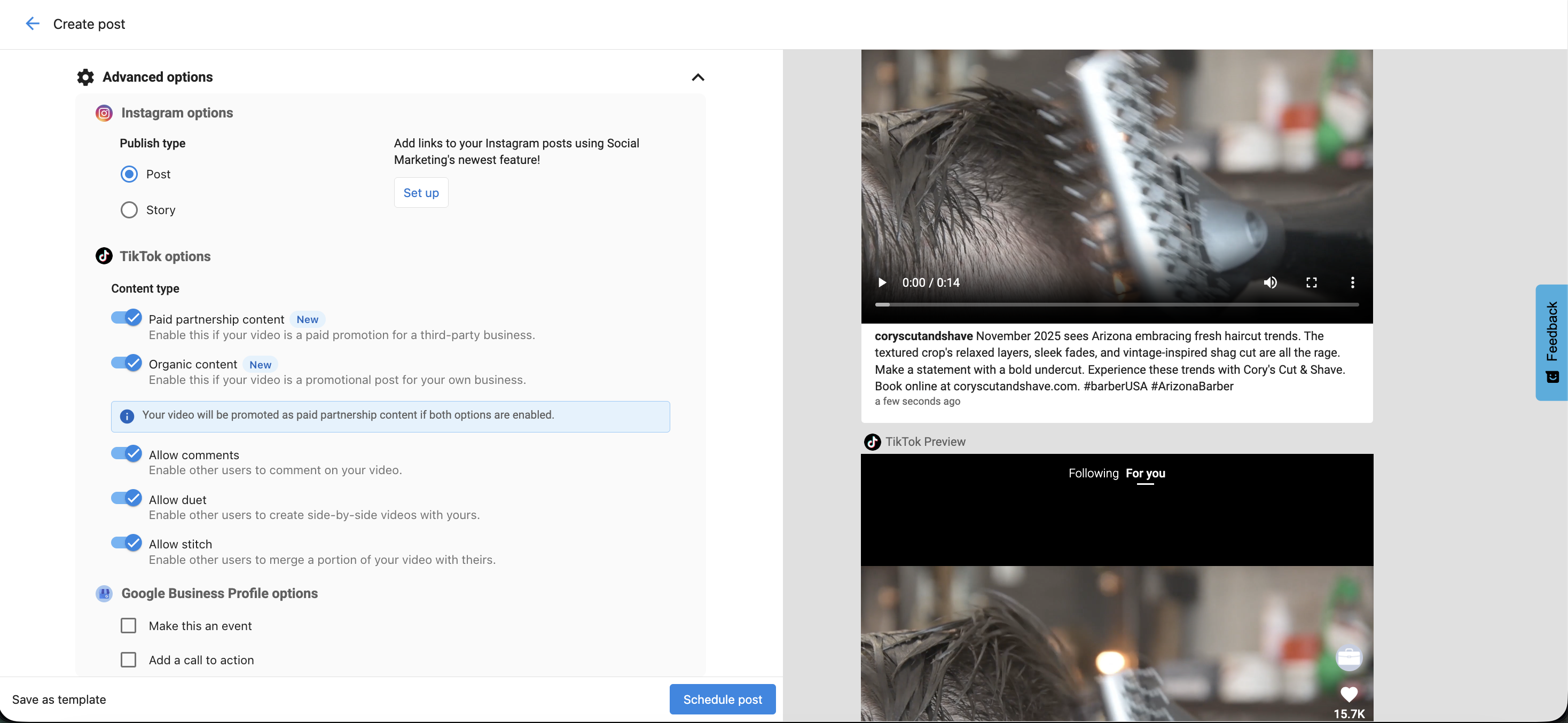
Instagram
- Choose between
PostorStory.
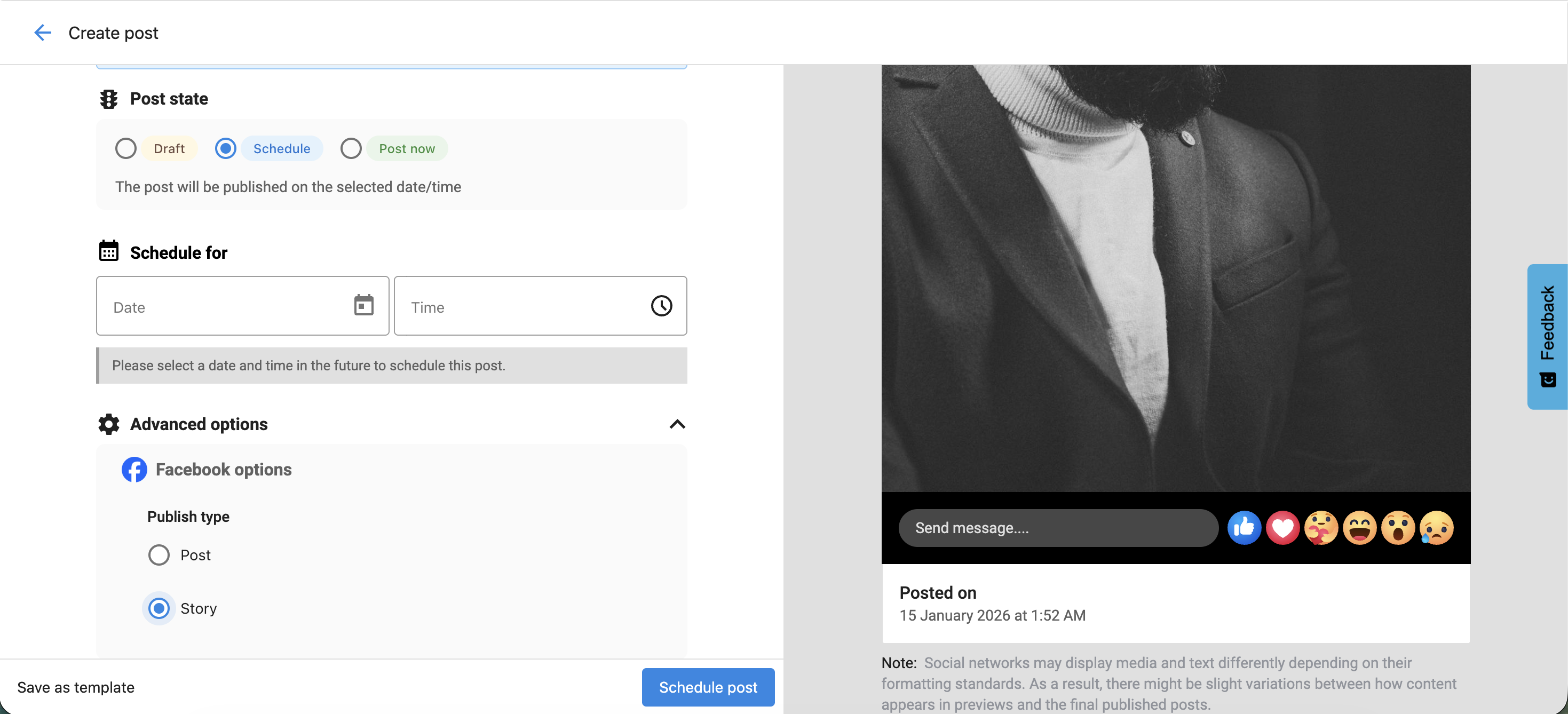
Facebook
Advanced Optionssection lets you selectPostorStoryas the publish type.- The preview updates based on your selection in real time.
TikTok
- Paid Partnership Content – Enable if promoting a third-party business.
- Organic Content – Enable if promoting your own business.
- Allow Comments, Duet, or Stitch – Choose how others can interact with your video.
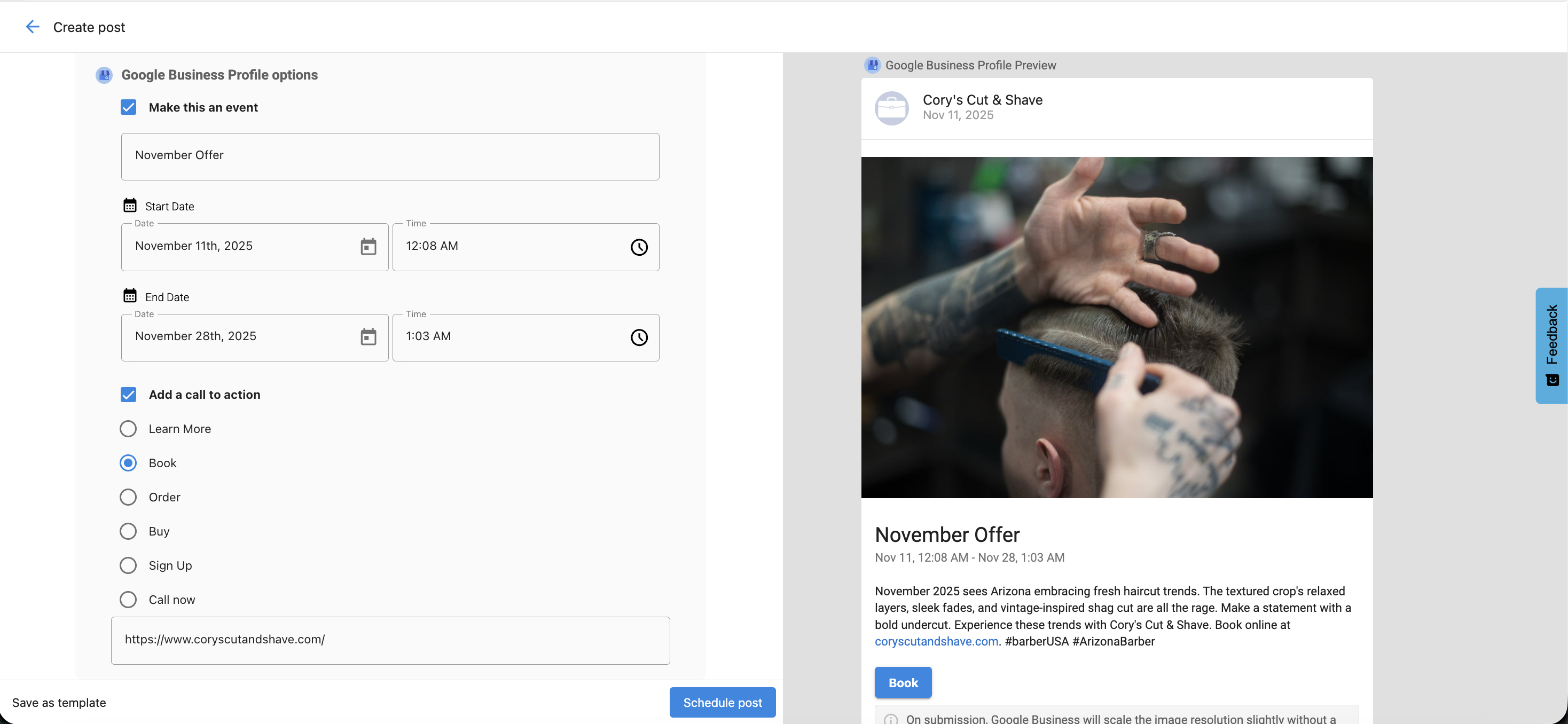
Google Business Profile
- Add a Call to Action (CTA):
Book– Invite users to book an appointment.Order– Link to an ordering page.Shop– Encourage browsing a catalog.Learn More– Provide more details on a linked page.Sign Up– Prompt users to register or join.Call– Add a clickable phone number.
- Add a Start Date and End Date to make it an event.
Google Business Profile posts must include a CTA. If no CTA is added, the post will fail to publish.
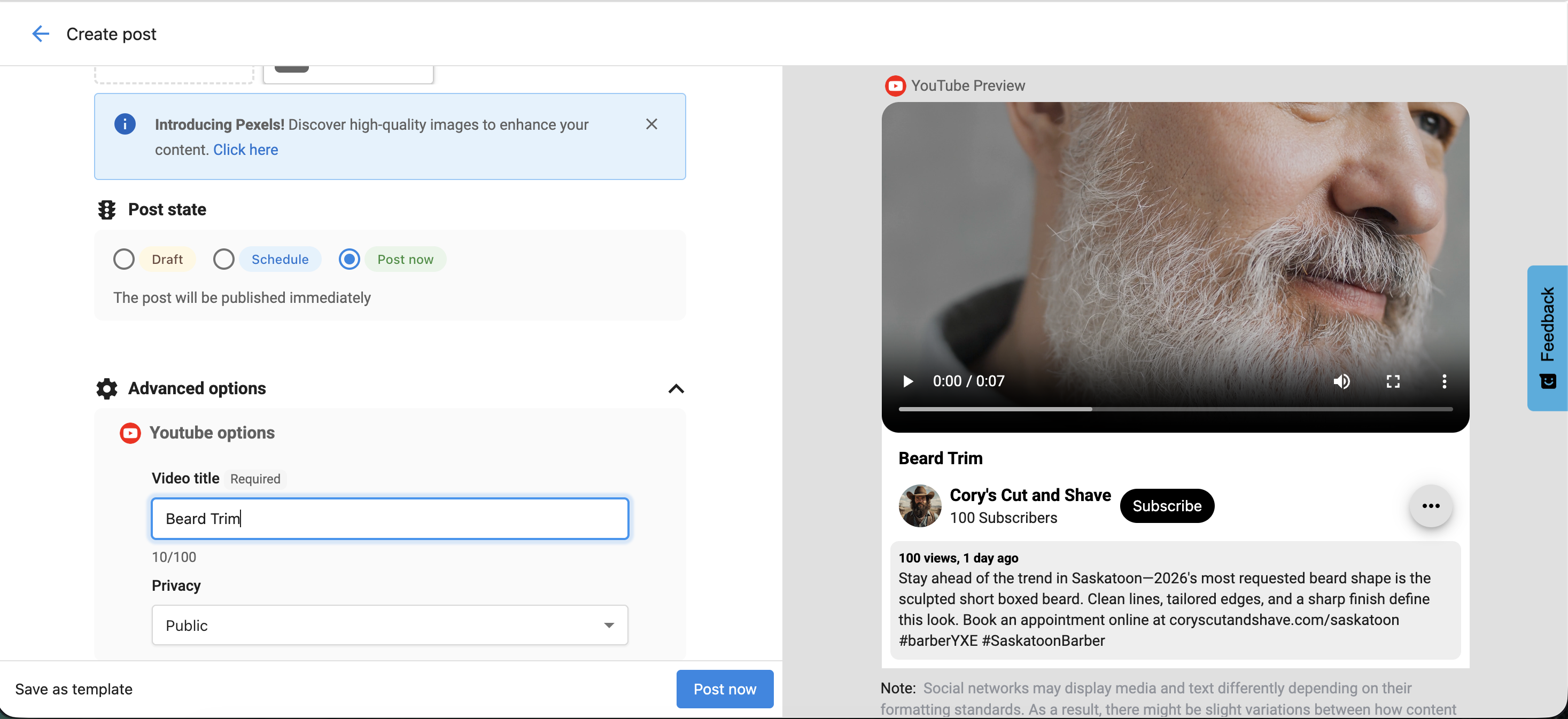
YouTube
- YouTube is available in the Post Composer, Long Video, and Campaign workflows.
- Required: Video upload and Video Title (via
Advanced Options). - Privacy Settings: Choose
Public,Unlisted, orPrivate
Facebook Story Media Requirements
Image
- Max Size: 10 MB
- Formats: JPEG, BMP, PNG, GIF, TIFF
- Quantity: 1
Video
- Format: MP4 (recommended)
- Quantity: 1
- Duration: 3–90 seconds (max 60 seconds if published as Story)
- Aspect Ratio: 9:16
- Frame Rate: 24–60 fps
- Resolution: 1080 × 1920 (recommended), 540 × 960 (minimum)
Facebook Reel Media Requirements
Video
- Max Size: 1 GB
- Formats: MP4 (recommended), QuickTime
- Quantity: 1
- Duration: Up to 1 hour (90 seconds recommended)
- Aspect Ratio: 9:16 to 16:9
YouTube Media Requirements
Video
- Max file size: 256 GB
- Max duration: 12 hours
- Resolution: 240×240 (min) to 4096×2304 (max)
- Frame rate: Up to 240 fps
Grammar and Spell Check Tools
The Composer supports grammar and spell-check extensions such as:
- Grammarly
- Microsoft Editor
- Quillbot
These tools help ensure your posts are accurate and professional.
Character Limits by Platform
| Platform | Character Limit |
|---|---|
| 63,206 | |
| X (Twitter) | 280 (Standard) / 25,000 (Premium) |
| 3,000 | |
| 2,200 | |
| TikTok | 2,200 |
| Google Business Profile | 1,500 |
| YouTube Description | 5,000 |
| YouTube Title | 100 |
HTML is not supported in the Composer.
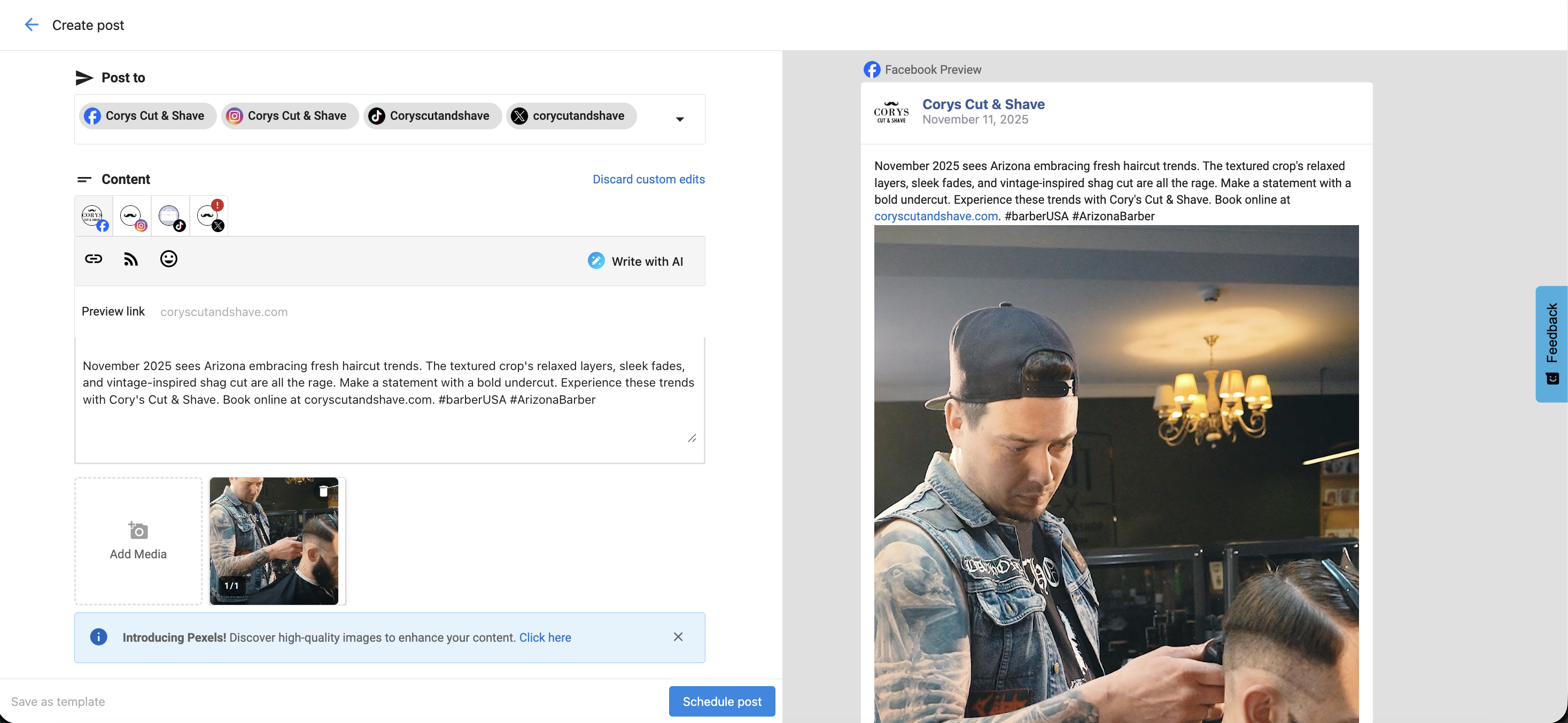
Customize by Account
Each social network has different requirements. Use Customize by Account to:
- Adapt content automatically to match platform limits
- Avoid errors with image size or video length
- Tailor tone, hashtags, and visuals for each network
Editing Drafts and Scheduled Posts
- Go to
Social AI→Posts→DraftsorScheduled. - Click
Editto make changes to text, media, or posting date. - Use
Customize by Accountto update specific platform versions.
If a social account disconnects, scheduled posts are automatically saved as drafts.
Reconnect the account, go to Posts → Drafts, click Edit, and select Schedule Post.
Hashtags and Tagging
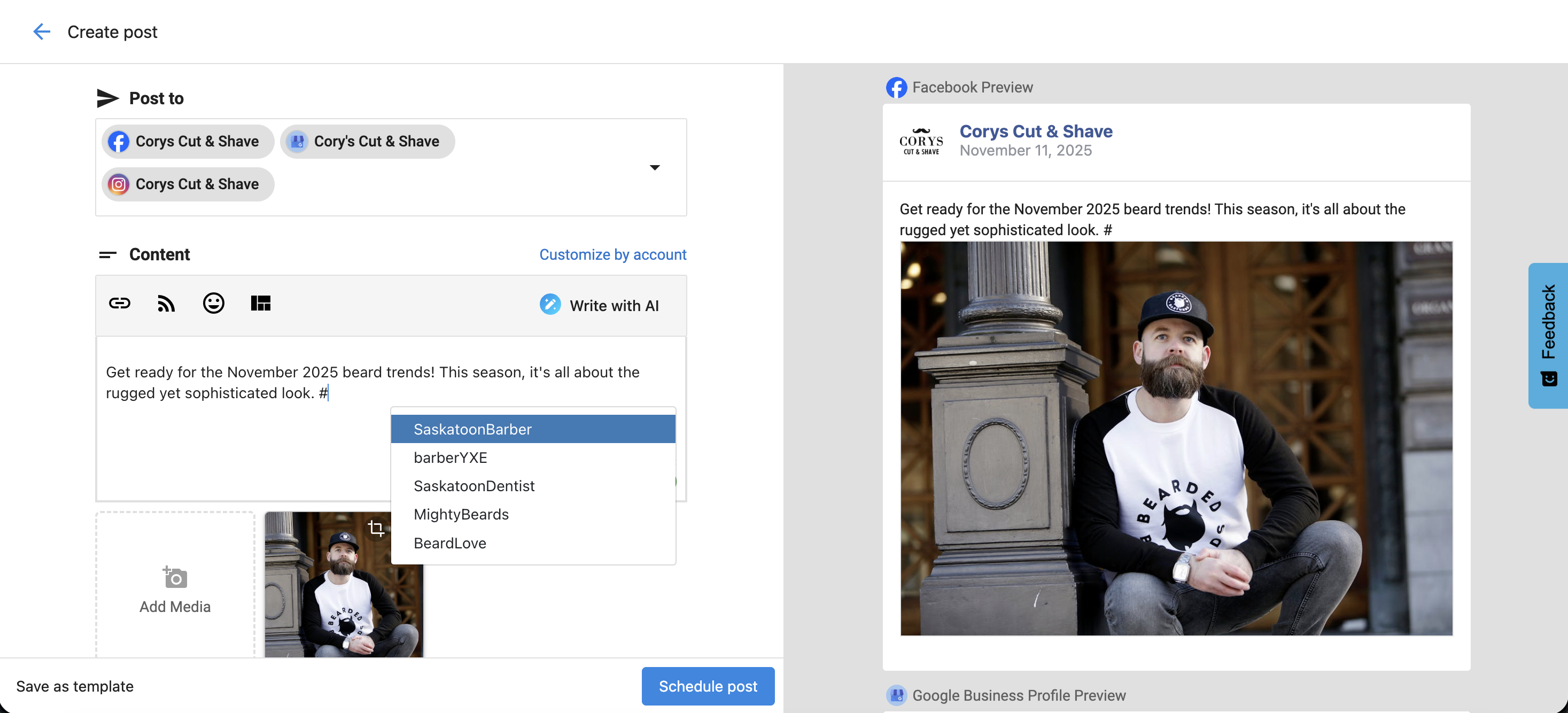
Hashtags
- Type
#in the Composer to view recent hashtags. - Start typing to see autocomplete suggestions or add new ones manually.
- Frequently used hashtags are remembered for next time.
Tagging
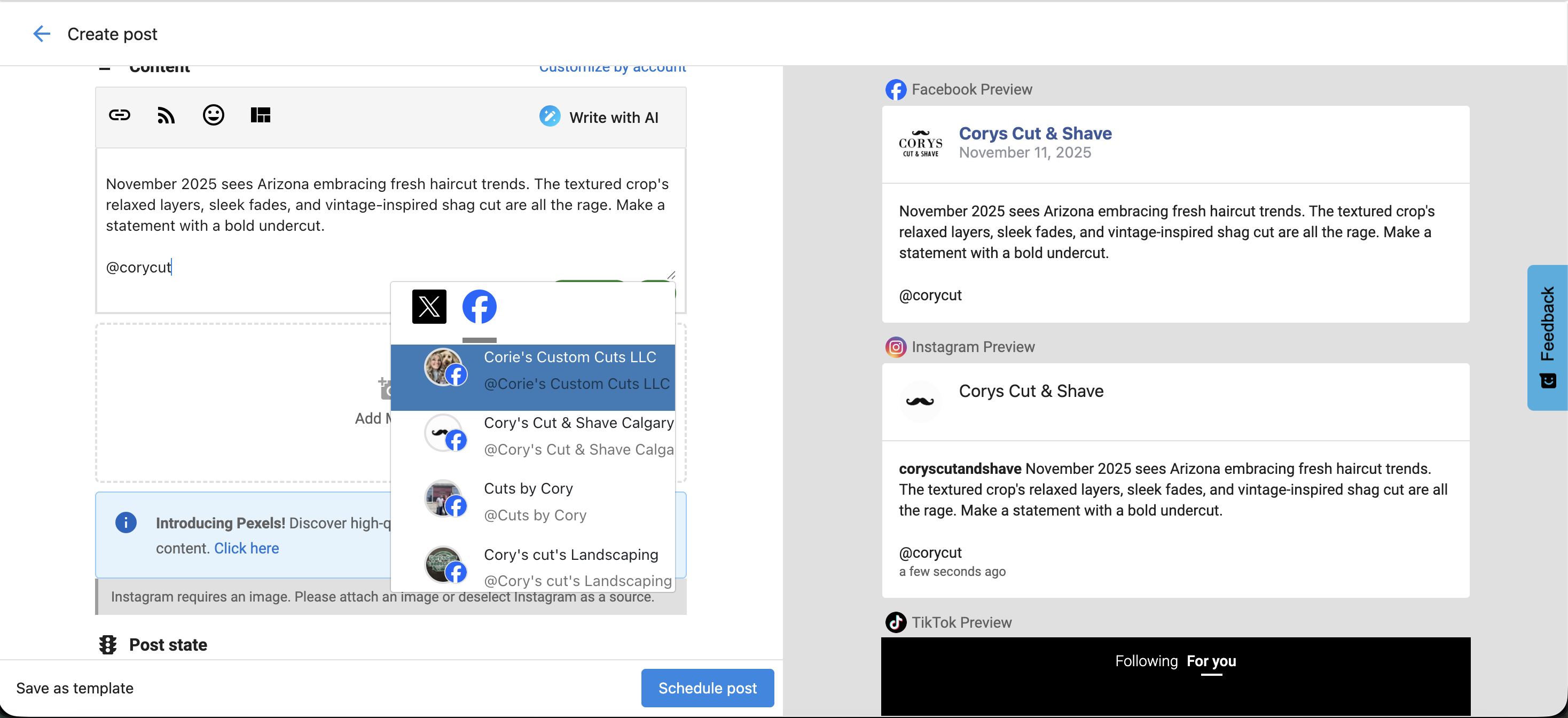
- Tag other accounts on Facebook (Business Pages) and X (Twitter) by typing
@followed by the account name. - Use tagging strategically to increase visibility and engagement.
Link Previews
When you add a URL:
- Facebook, LinkedIn, and X (Twitter) support link previews with image and title.
- LinkedIn allows preview image selection.
- Instagram and Google Business Profile do not support link previews.
- Google Business Profile allows CTAs (e.g.,
Learn More,Book, orOrder) that include clickable links.
Bulk Posting Limits
| User Type | Max Scheduled Posts |
|---|---|
| Standard | 20 |
| Pro | Unlimited |
Platform Posting Limits
Facebook and Instagram allow up to 25 API-published posts per 24 hours per account. Exceeding this limit may trigger spam detection, reduce reach, or result in account restrictions.
Frequently Asked Questions (FAQs)
How far in advance can I schedule posts?
You can schedule posts as far ahead as December 31, 9999.
Which platforms support link previews?
Facebook, LinkedIn, and X (Twitter). Instagram and Google Business Profile do not.
What happens if a social account disconnects?
Scheduled posts convert to drafts until the account is reconnected.
Can I customize content per network?
Yes. Use Customize by Account to edit per platform.
Why use grammar tools?
They help ensure accurate and professional content.
Can I tag other businesses?
Yes. Use @ for Facebook Business Pages or X (Twitter) profiles.
Do hashtags improve reach?
Yes. Hashtags help increase post visibility and engagement.
Can I include CTAs in Google posts?
Yes. A CTA is required for Google posts to publish.
How do I publish Facebook Stories and Reels?
Use Create → Post Workflow, select Facebook, open Advanced Options, and choose Story or Post. If you upload a video with Post, it becomes a Reel. You can also use Create → Story Workflow or Create → Short Video Workflow.
Can I publish YouTube videos from the platform?
Yes. You can upload videos to YouTube and set titles, privacy settings, and scheduling options from the Composer.