How to turn off ringing for email opens
Yesware doesn’t have a built-in ringing notification for email opens, but you can manage your system’s notification settings to disable the sound. Follow these steps for a distraction-free experience:
- Open Gmail.
- Click on Settings (top right) and select See all settings.
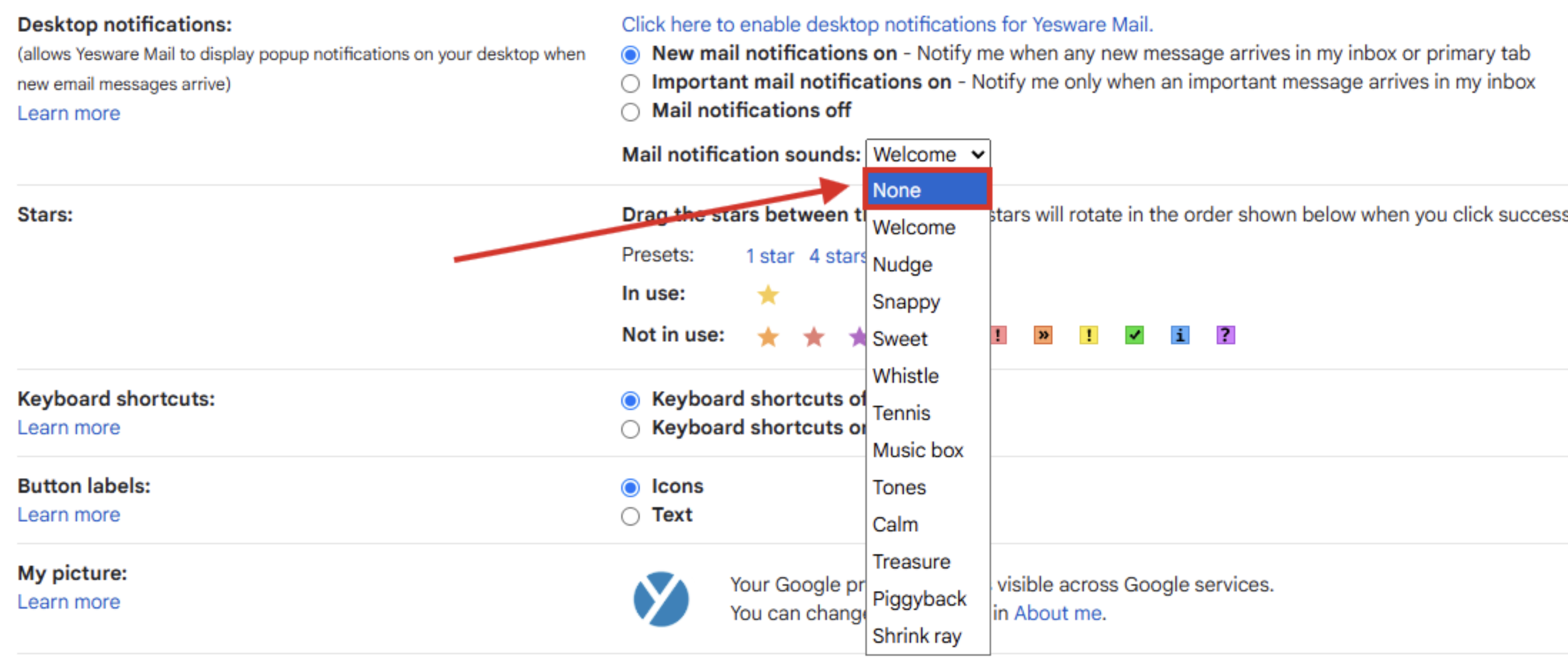
- Scroll to "Desktop notifications".
- Toggle the option to either New mail notifications on or Important mail notifications on.
- Next to "Mail notification sounds", choose a sound or select None to turn off the sound.
- Scroll down and click Save Changes. This will disable email notification sounds for a quieter workflow