Clickable.bio for Instagram
Clickable.bio for Instagram is a feature for Social AI Pro that helps clients drive traffic from their Instagram gallery to their website or online store. This enables businesses to capture more qualified leads, convert them to customers, and grow. Clickable.bio transforms Instagram posts into a gallery of images that link directly to the client’s site or shop.
Why is Clickable.bio important?
The goal of any marketing initiative is to increase revenue. Social media offers a cost-effective way to drive traffic to your client’s site or store, capturing and converting leads into customers to boost sales.
Instagram boasts the highest user engagement rate among social platforms. In fact, 83% of users discover new products and services on Instagram. However, users are easily distracted by other content. Without a simple way to guide followers to a client’s website, they may turn to competitors instead.
With Social AI Pro’s Clickable.bio, you can direct followers from Instagram to your client’s site for key actions like:
- Purchasing a product
- Booking an appointment
- Filling out a lead form
How does Clickable.bio work?
Clickable.bio turns Instagram posts into a clickable gallery of images that drive engagement and transactions. It’s available for free with any Social AI Pro account.
Steps to Set Up:
- Set up your Clickable.bio page
- Compose an Instagram post
- Review FAQs
Set up a Clickable.bio Page
Ensure your Instagram account is connected to Social AI:
- Navigate to: Settings > Connect Accounts
- Your Instagram must be connected to a Facebook page
Then:
- Go to: Tools > Clickable.bio
- Click Set up to begin in three simple steps
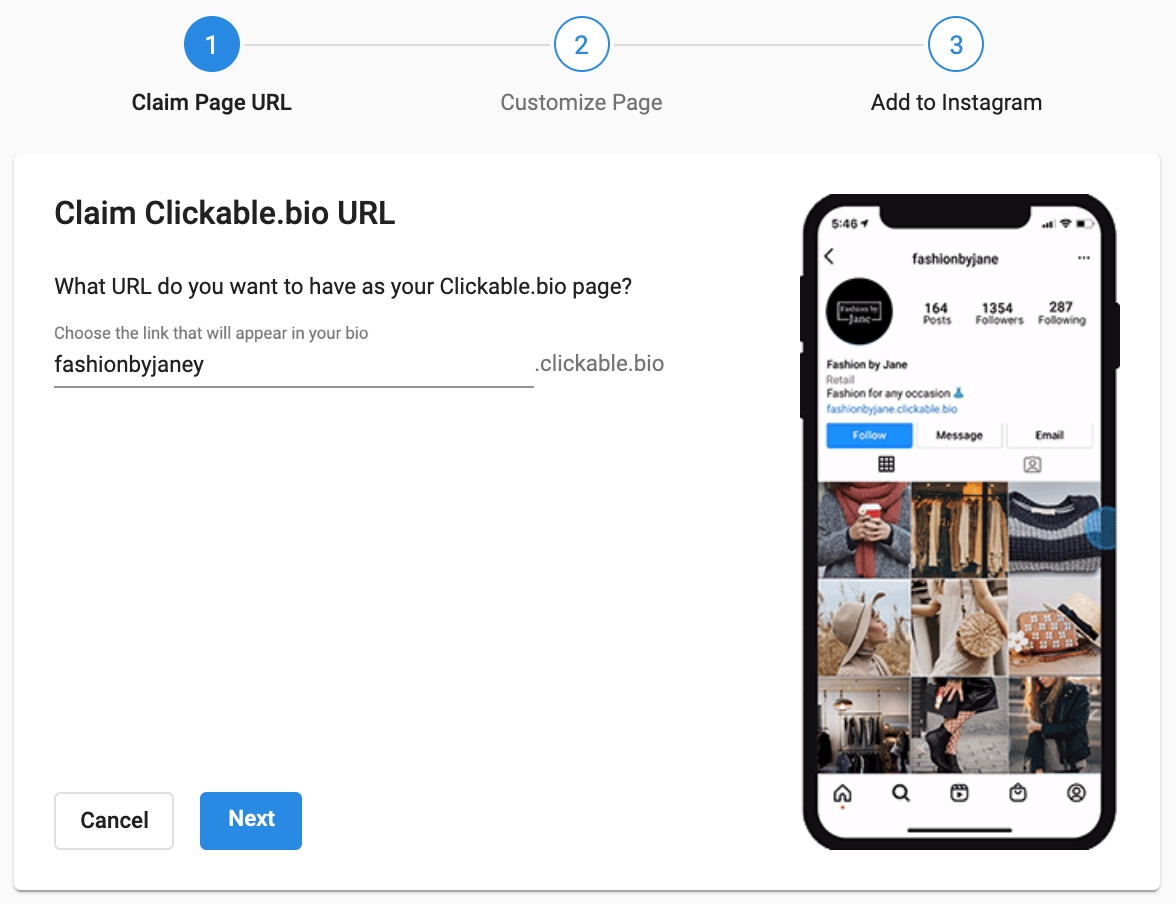
Step 1: Claim Clickable.bio URL
- This is the URL you’ll place in your Instagram bio
- Format: businessname.clickable.bio (e.g., fashionbyjane.clickable.bio)
- You can edit or change the URL later
- Click Next to proceed
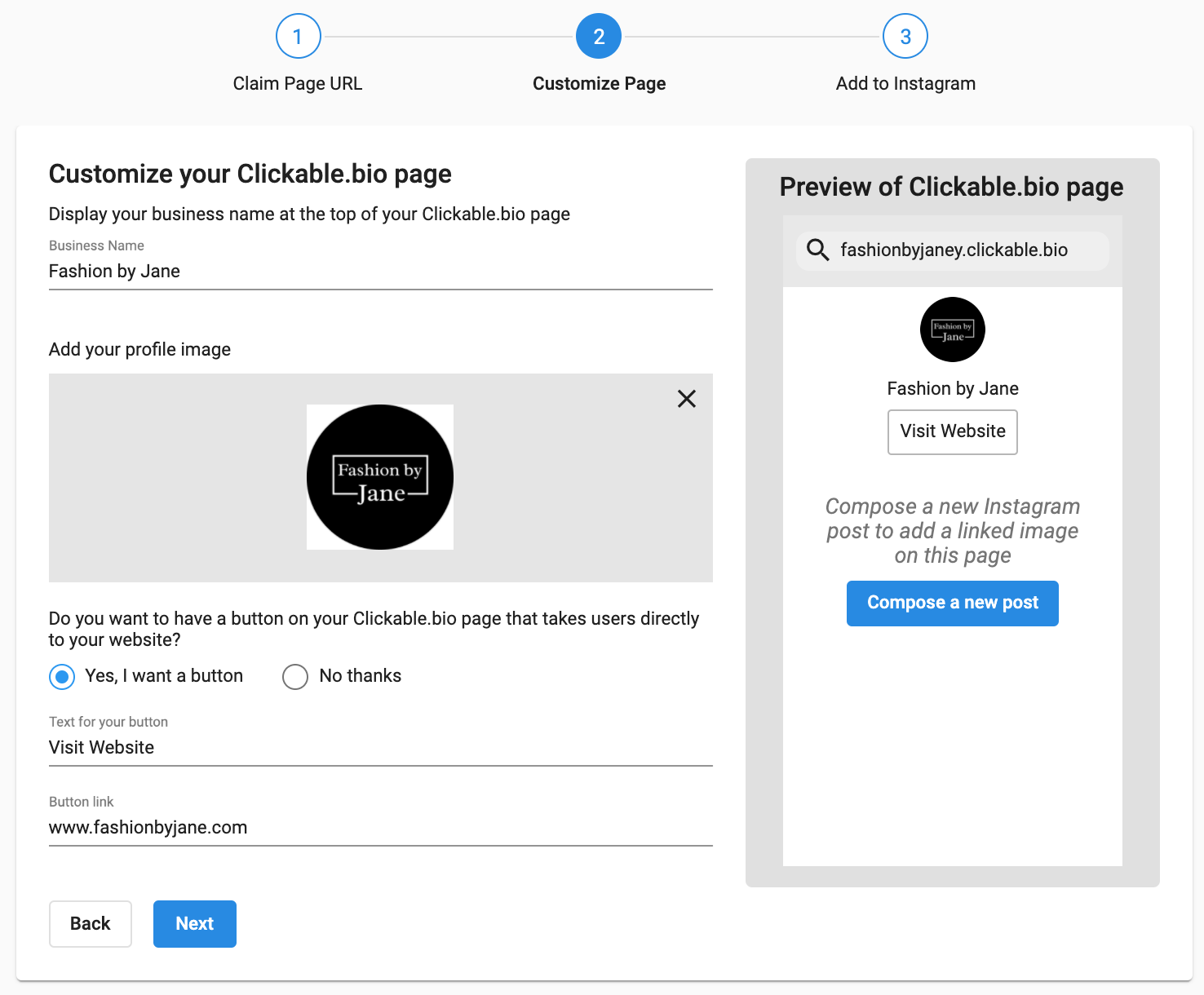
Step 2: Customize Your Clickable.bio Page
Users who click your bio link will land here. Fill in these details:
- Business name — displays at the top
- Profile image — we recommend using your Instagram profile image
Add a Button (Optional)
- Yes
- Add button text (e.g., “Visit website”)
- Enter your website URL and save
- No
- No button will be shown
Click Next to continue
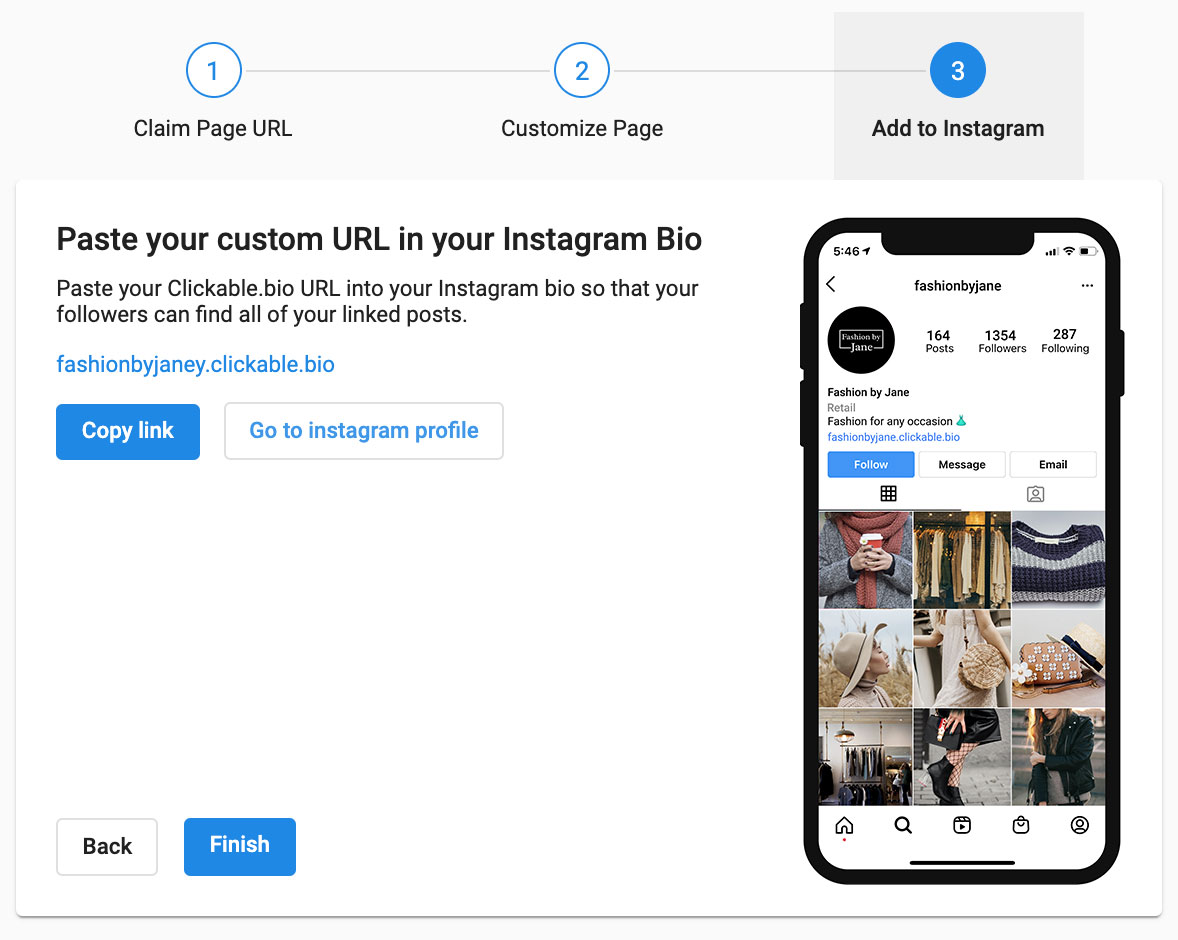
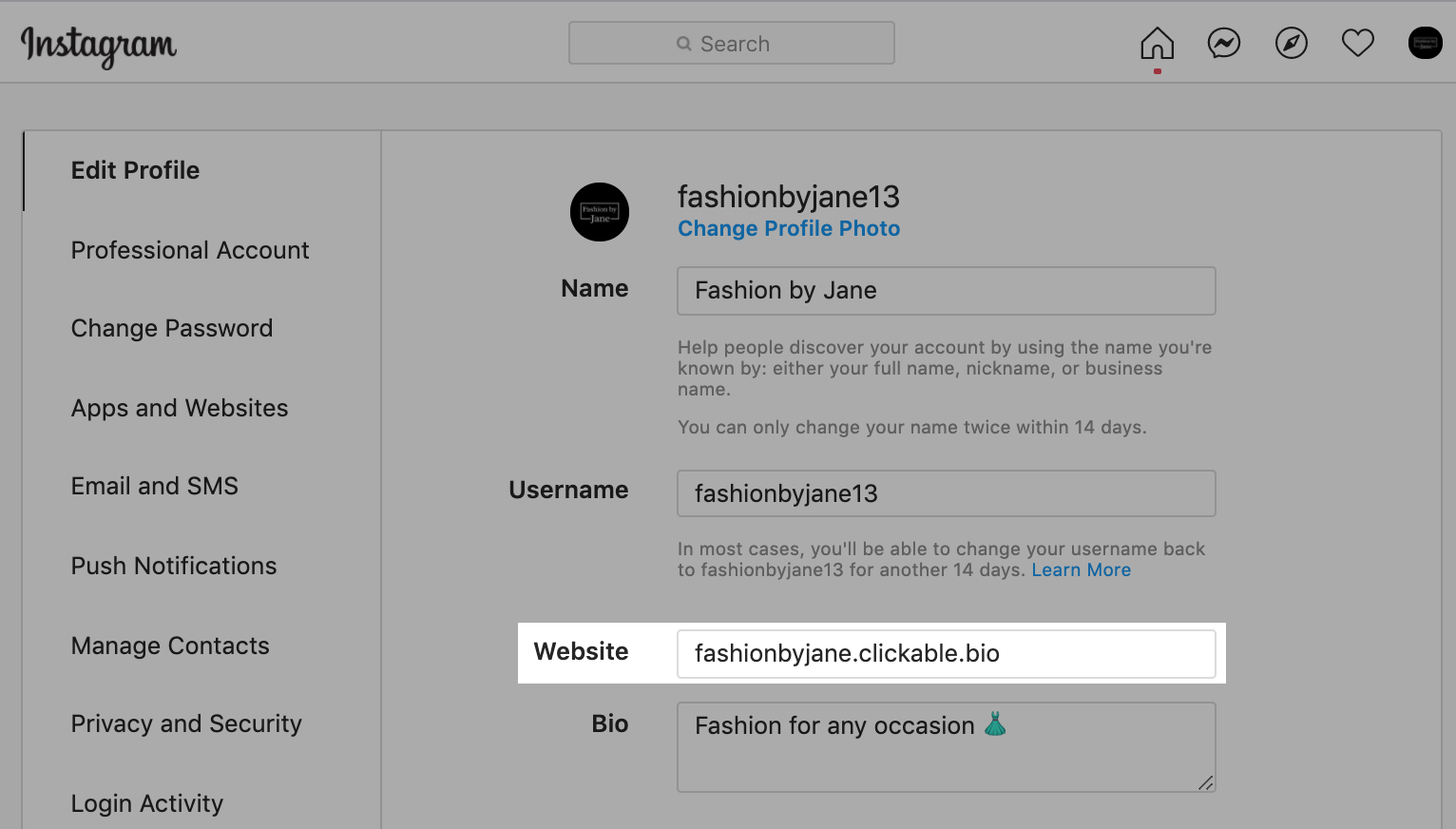
Step 3: Paste URL in Instagram Bio
- Click Copy link
- Click Go to Instagram Profile (opens new tab)
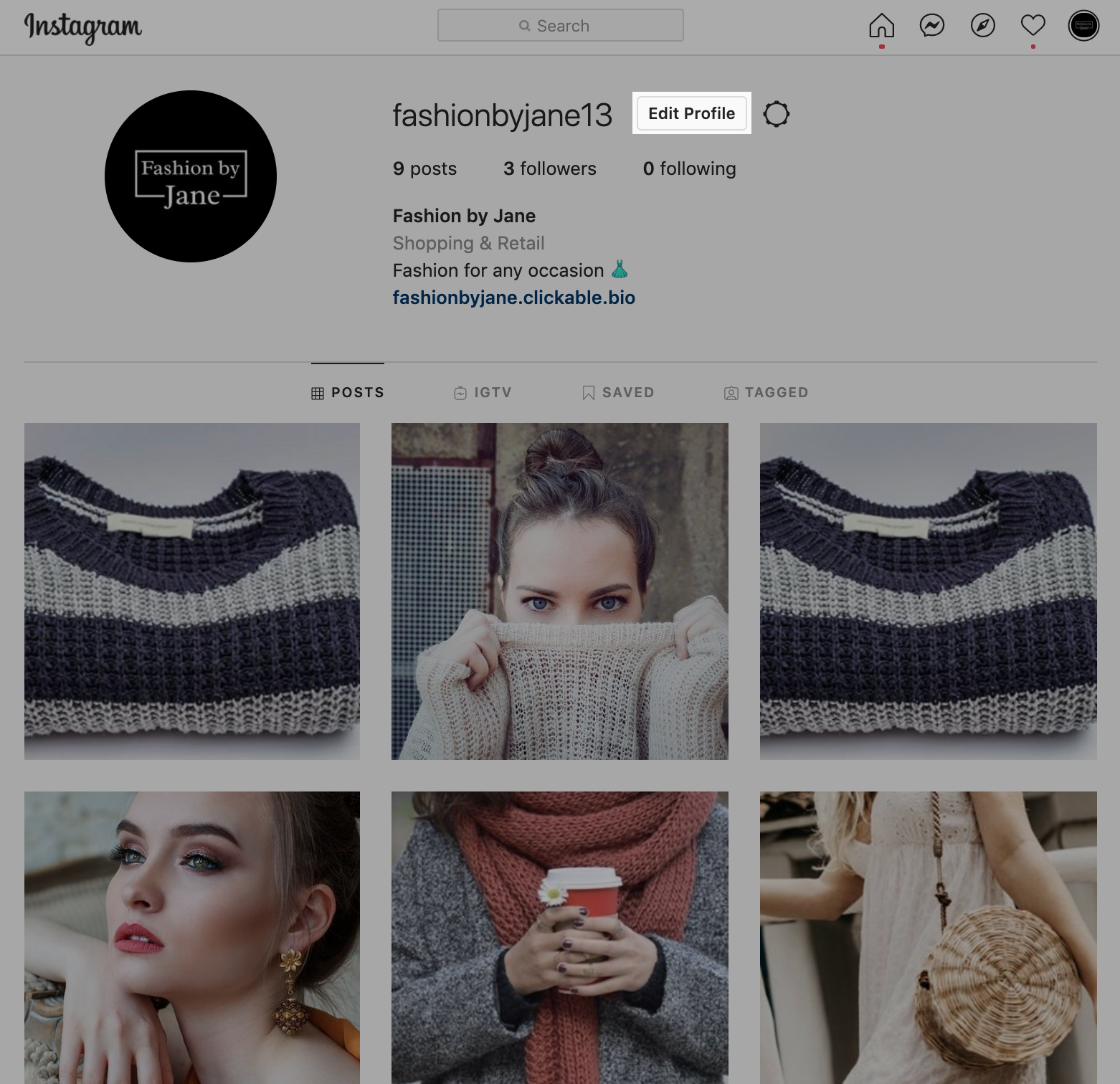
- On Instagram:
- Click Edit Profile
- Paste the URL in the Website field
- Return to Social AI and click Finish
🎉 Congratulations! Your Clickable.bio Page is live.
Compose an Instagram Post
You can create a post in two ways:
- Sidebar > Compose
- Tools > Clickable.bio > Compose a post
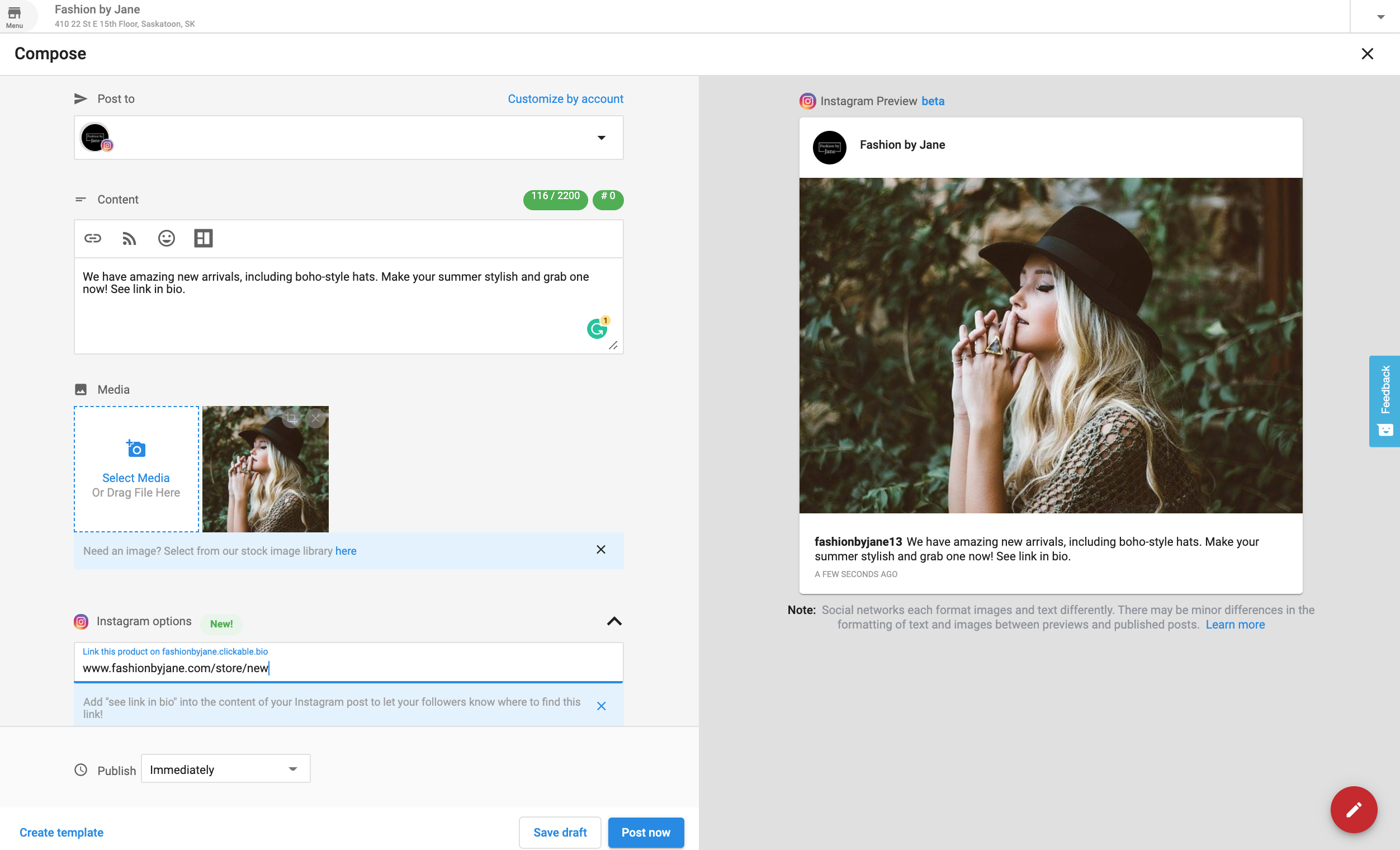
Posting Tips
- Select your Instagram account
- Add a caption (include a reminder like “See link in bio”)
- Use the Instagram Options section to add a URL
After publishing or scheduling, the Clickable.bio page updates automatically. Now, when users tap your bio link, they’ll see a clickable image that redirects them to the associated link.
FAQs
Does Clickable.bio support video content?
A: Yes, videos are fully supported by Clickable.bio.
Does Clickable.bio support multiple images and videos within a single post?
A: Yes, Clickable.bio supports publishing posts that contain multiple images and videos together.
What is the maximum number of images and videos supported in a single Clickable.bio post?
A: Clickable.bio post supports a maximum of 10 media items (the total combined count of images and videos), which aligns with the limitations of the Instagram carousel post format.
Can you add website links to previously published Instagram posts?
A: Only after Clickable.bio setup. You can add links to new posts moving forward.
Can you edit website links for published Clickable.bio posts?
A: Not currently, but this will be available in the future.
Can you use shortened URLs?
A: Yes, any type of website link is supported.
Can you change your Clickable.bio URL?
A: Yes. Go to Tools > Clickable.bio > Appearance and Settings to change it.
Will Clickable.bio affect a business's SEO?
A: No. The page isn't crawled by search engines.
What happens if a business disconnects Instagram?
A: The Clickable.bio page is saved until the account is reconnected or data is deleted.
Does deleting an Instagram post in Social AI delete the associated Clickable.bio post?
A: No, our system does not currently have a way of removing Clickable.bio posts once they have been created.