Post Templates
Social AI's post template feature allows you to create reusable templates for your social media posts, saving time and ensuring consistency across your content.
Creating Post Templates
Template Creation Process
- Start a new post by going to Posts > Create > Post
- Design template by adding text, placeholders, and formatting
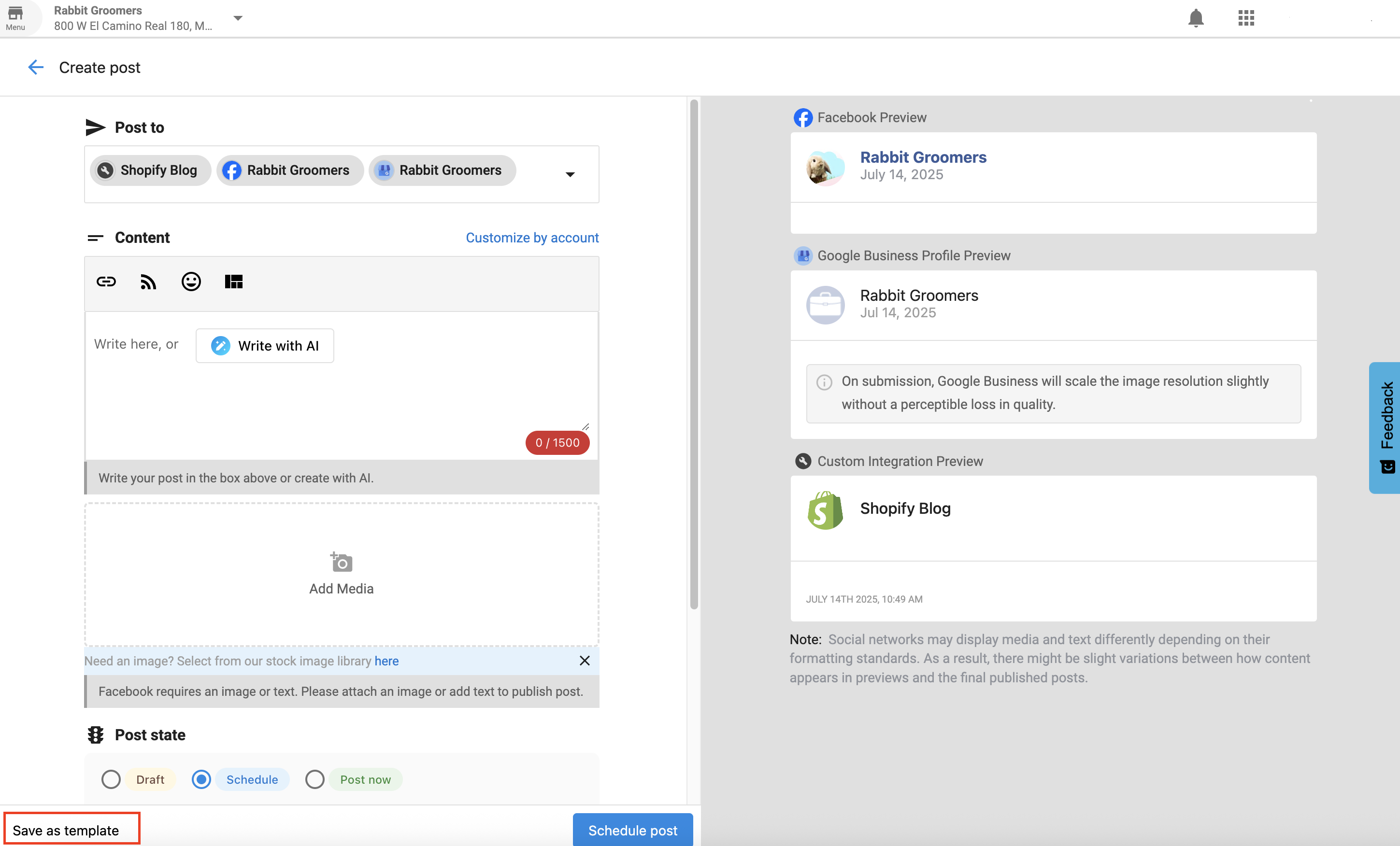
- Save template by clicking "Save as template" instead of scheduling the post
Template Elements
- Text Content: Pre-written text with customizable placeholders
- Hashtag Sets: Pre-defined hashtag collections for different topics
- Image Placeholders: Designated spots for images or graphics
- Call-to-Action: Standard CTAs that can be customized
- Brand Elements: Consistent branding elements across templates
Template Categories
Content Type Templates
- Product Promotions: Templates for promoting products or services
- Educational Content: Templates for sharing tips and information
- Behind-the-Scenes: Templates for showing company culture
- Customer Spotlights: Templates for featuring customer stories
- Event Announcements: Templates for promoting events
Platform-Specific Templates
- Instagram Templates: Optimized for Instagram's format and audience
- Facebook Templates: Designed for Facebook's engagement patterns
- LinkedIn Templates: Professional templates for LinkedIn
- Twitter/X Templates: Concise templates for Twitter's character limit
- Multi-Platform Templates: Templates that work across platforms
Using Post Templates
Template Application
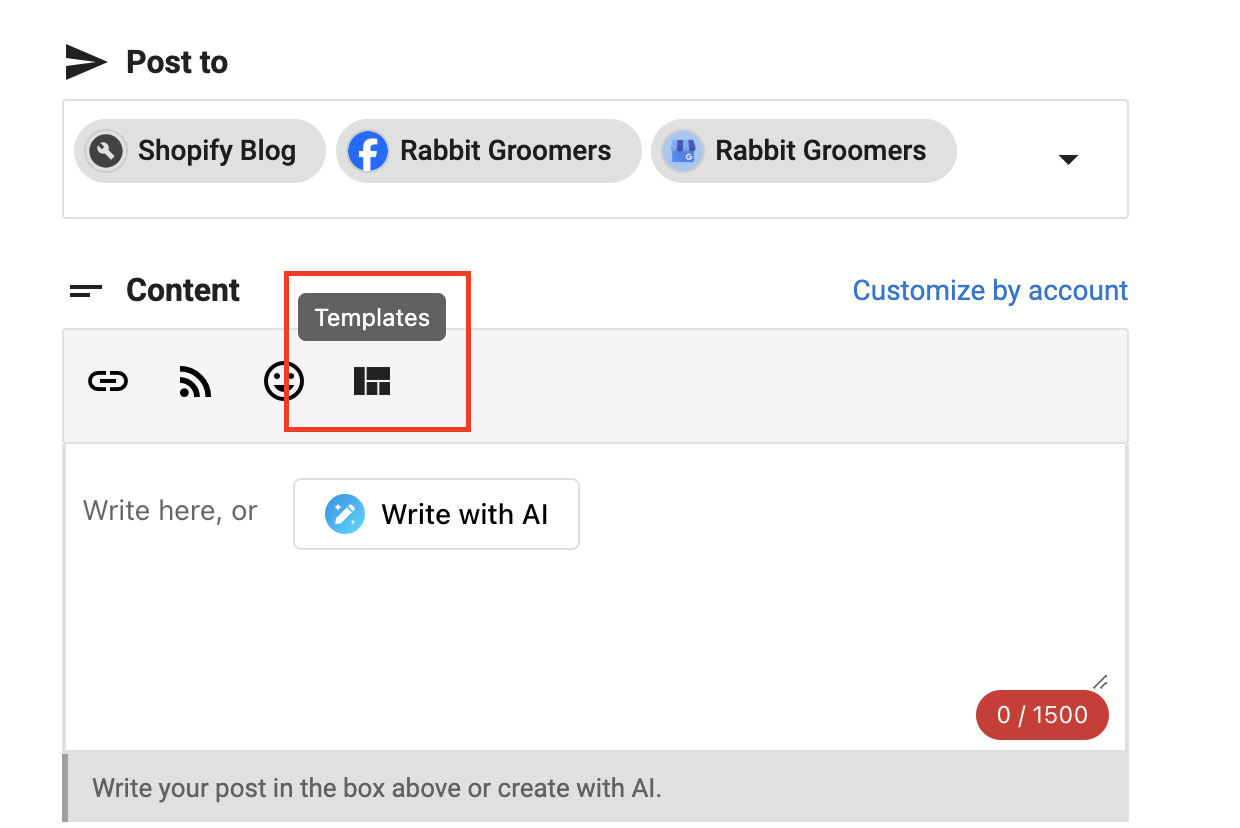
- Select Template: Choose a template from your library by clicking the Templates button in the post composer
- Customize Content: Fill in placeholders with specific content
- Add Media: Insert relevant images or videos
- Review and Edit: Review the post and make final adjustments
- Schedule or Post: Schedule or publish the customized post
Template Customization
- Text Replacement: Replace placeholder text with specific content
- Media Addition: Add relevant images, videos, or graphics
- Hashtag Updates: Modify hashtags for specific campaigns
- Timing Adjustments: Adjust posting times for different audiences
- Platform Optimization: Optimize for specific platform requirement
Template Examples
Product Promotion Template
🎉 [Product Name] is here!
[Product Description]
✨ Key Features: • [Feature 1] • [Feature 2] • [Feature 3]
💡 [Call-to-Action]
[BrandHashtag] [ProductHashtag] [IndustryHashtag]
Educational Content Template
📚 [Topic Title]
[Educational Content]
💡 Pro Tip: [Helpful Tip]
Want to learn more? [Call-to-Action]
[EducationalHashtag] [IndustryHashtag] [BrandHashtag]