Finance (QuickBooks Online)
What financial data is included?
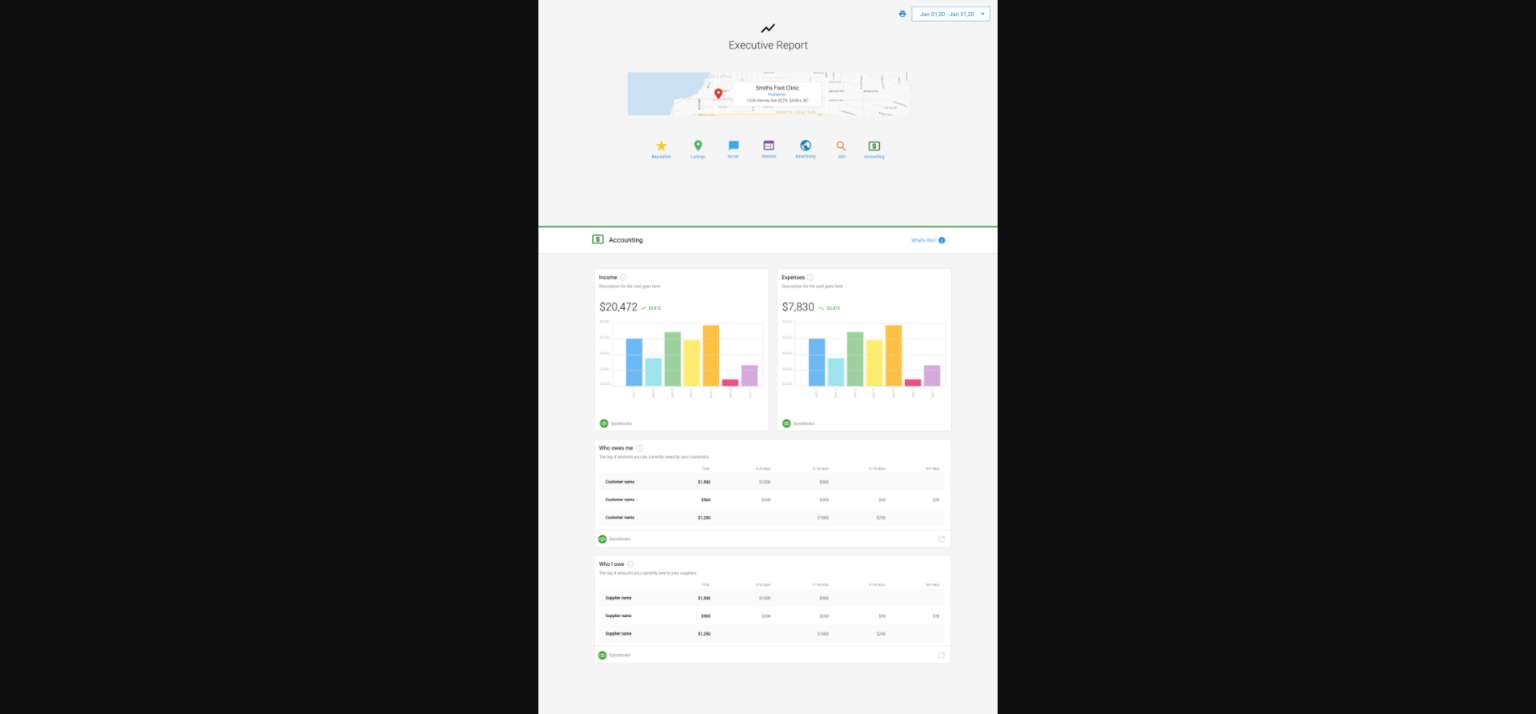
After you connect your QuickBooks Online account in Business App, your Executive Report can include financial data to help you track business performance.
Financial metrics in the report
The Executive Report can show:
- Income data – Revenue and earnings
- Expense data – Business spending and costs
- Other financial metrics – Additional performance indicators from QuickBooks
Invoice notifications
As well as the financial data in the report, you can get notifications about your QuickBooks Online invoices:
- In-app notifications – Alerts in Business App when invoices are paid
- Email notifications – Emails when QuickBooks Online invoices are paid in full
That way you can stay on top of cash flow and payments without constantly opening QuickBooks.
How to connect QuickBooks Online
To see financial data in your Executive Report:
- Go to
Business App→Administration→Integrations - Find QuickBooks Online in
Browse Integrations - Complete the steps to link your QuickBooks Online account
- Once connected, financial data starts appearing in your Executive Report
Benefits of the QuickBooks integration
- Reporting in one place – See marketing and financial performance together
- Automatic updates – Financial data syncs to the Executive Report
- Invoice alerts – Notifications when invoices are paid
- Share when needed – Use the report to show financial progress to others
- Full picture – See how marketing ties into your financial results
Together, the Executive Report and QuickBooks give you a single view of business performance so you can make informed decisions about growth and where to invest.