Reputation
What is the Reputation section?
The Executive Report includes a Reputation section so you can see how your business is performing on reviews and reputation. A main part of this is the Review Grade—a letter grade that summarizes your online review presence and how it compares to others in your industry.
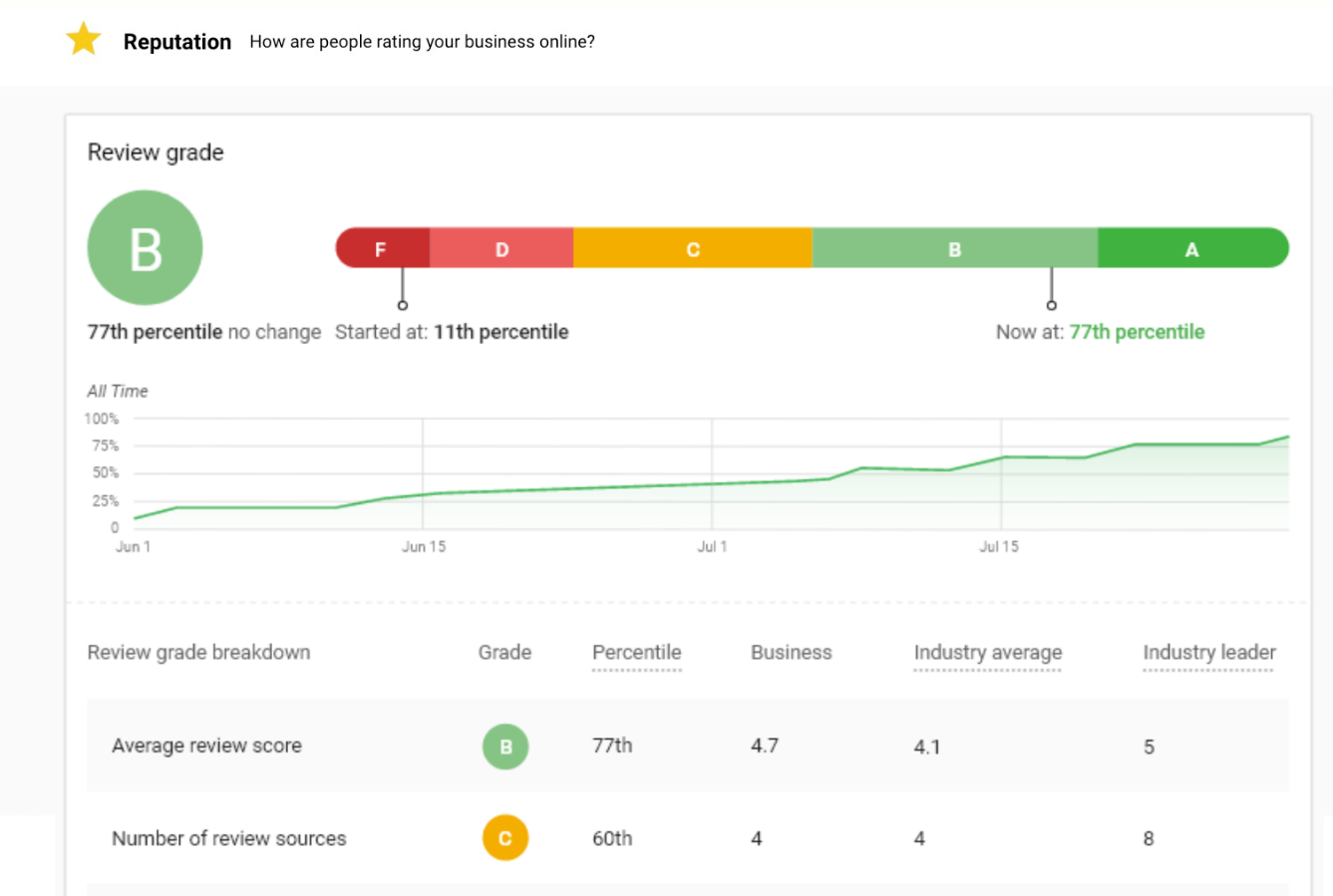
Review Grade
The Review Grade is a letter grade (A through F) that reflects your business’s online review presence. It helps you see at a glance how you’re doing and track improvement over time.
How is the Review Grade calculated?
The grade is based on four areas:
- Average review score — Your typical star rating
- Number of review sources — How many sites you’re getting reviews on
- Reviews found — How many reviews were found for your business
- Reviews per month — How many new reviews you’re getting
Those four are combined and compared to the industry average. The result is a letter grade using this scale:
- A = 90th–100th percentile (top 10%)
- B = 75th–89th percentile
- C = 50th–74th percentile
- D = 30th–49th percentile
- F = 0th–29th percentile
If your average review score is 3.5 and the industry average is 4.32, that category falls in a lower percentile and pulls the grade down. The same logic applies to the other three categories to produce one overall Review Grade.
The Review Grade is on by default. If you don’t see it or want to change whether it appears, contact support to adjust the report settings.