Follow-Up Campaigns
What are follow-up campaigns?
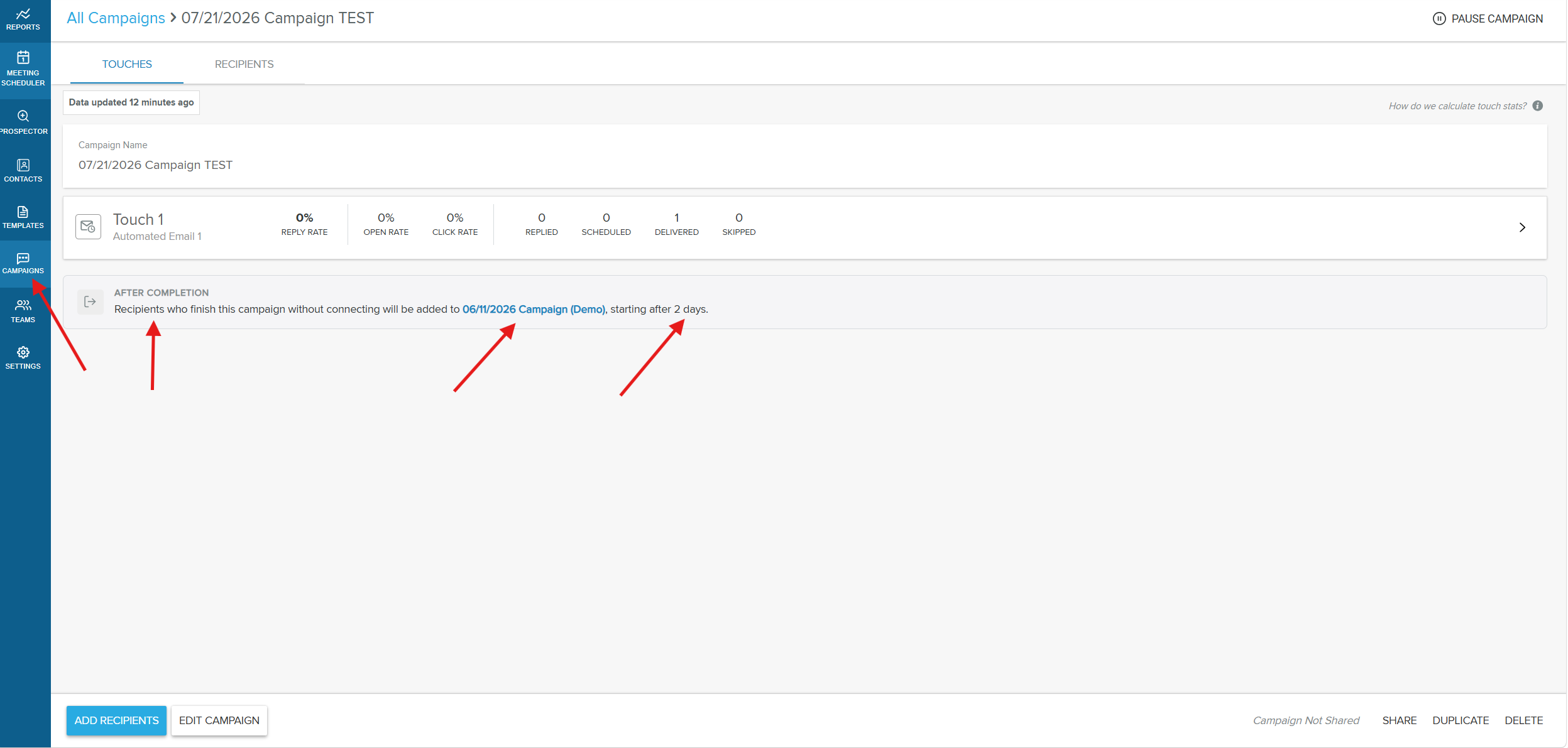
A follow-up campaign is a campaign that recipients are automatically enrolled into when they finish another campaign without connecting. Instead of a sequence simply ending when a recipient reaches the last touch, you can hand those recipients straight to a new campaign to keep your outreach going.
You set this up in a campaign's Settings, in the After completion section. There you choose the follow-up campaign and a start delay. A recipient completes the campaign without connecting when they reach the end without replying, connecting by phone, or booking a meeting through Meeting Scheduler. When that happens, they are enrolled into the follow-up campaign after the delay you set.
Why is this important?
- No completed recipient falls through the cracks: recipients who finish a campaign without engaging are handed off to a nurture campaign automatically
- Save time: skip the manual work of tracking which recipients completed a campaign and re-enrolling them one by one
- Keep engaged recipients out of it: recipients who reply, connect by phone, or book a meeting are left alone, so you don't keep emailing someone who already responded
- Space out your outreach: a configurable start delay lets you pace correspondence instead of sending touches back to back
- Stay compliant: opted-out and bounced recipients are skipped automatically
What's included?
- After completion setting: attach a single follow-up campaign directly to a campaign's settings
- Follow-Up Campaign picker: search and select from the campaigns you have access to
- Start delay: choose how many days to wait after completion before the follow-up campaign begins, up to 90 days
- Automatic skip protection: opted-out and bounced recipients are never enrolled
How to set up a follow-up campaign
Step 1: Open the first campaign
In the Yesware AppSite, go to Campaigns and open (or create) the campaign you want recipients to complete first.
Step 2: Open the campaign's settings
Open the individual campaign's Settings.
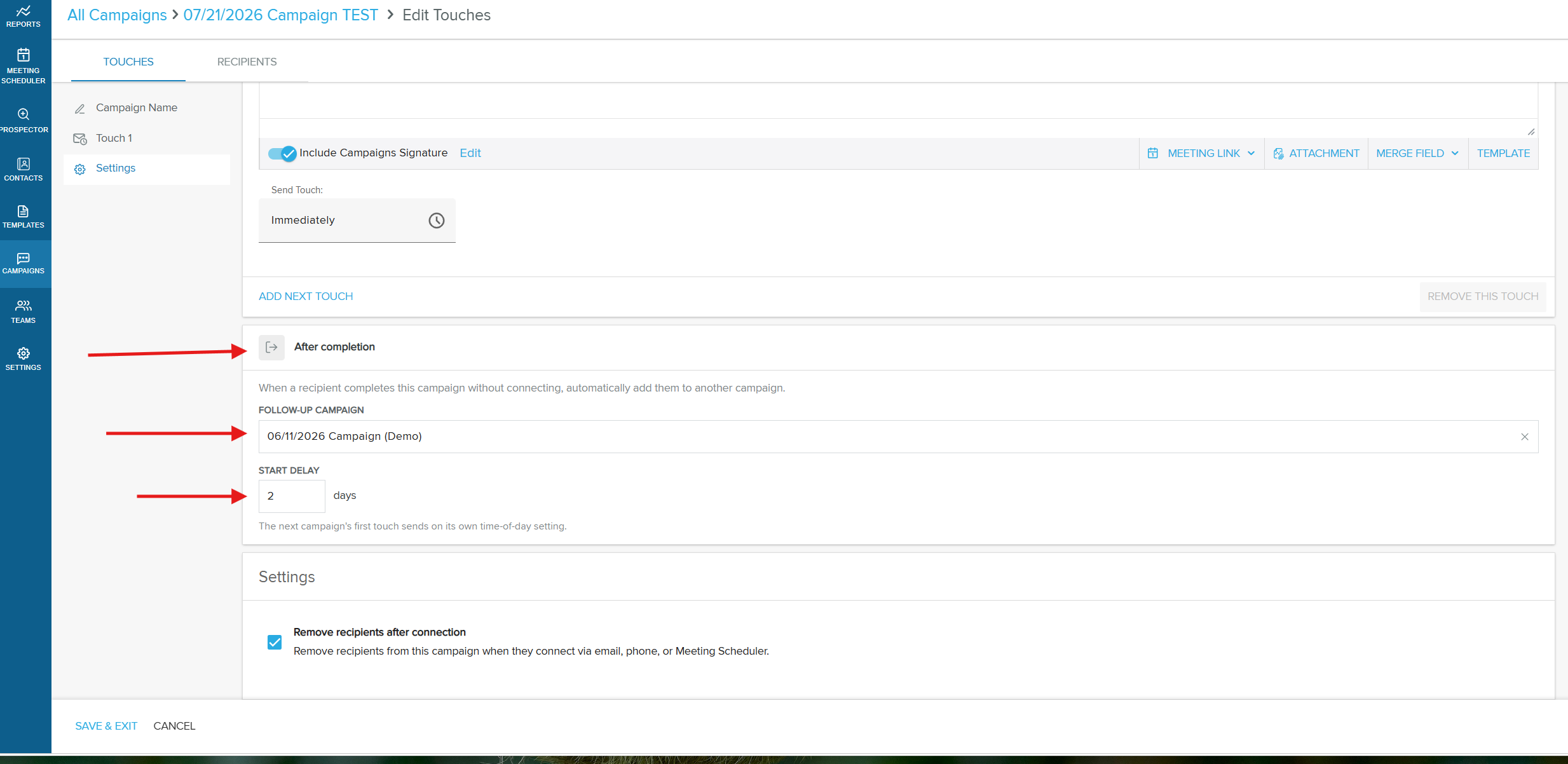
Step 3: Go to the After completion section
Scroll to the After completion section of the settings.
Step 4: Choose a follow-up campaign
In the Follow-Up Campaign field, search for and select the campaign you want completed recipients added to. The picker lists the campaigns you have access to.
Step 5: Set the start delay
Set the Start Delay, the number of days to wait before the follow-up campaign begins. You can set a delay of up to 90 days.
Step 6: Save the campaign
Save the campaign. Recipients who complete it without connecting are now enrolled into the follow-up campaign automatically after the delay.
How follow-up enrollment works
Keep the following behaviors in mind when you chain campaigns together.
Enrollment triggers only on completion without a connection. Recipients who reply, connect by phone, or book a meeting through Meeting Scheduler are treated as connected and are not enrolled into the follow-up campaign. Only recipients who reach the end of the campaign without connecting are enrolled.
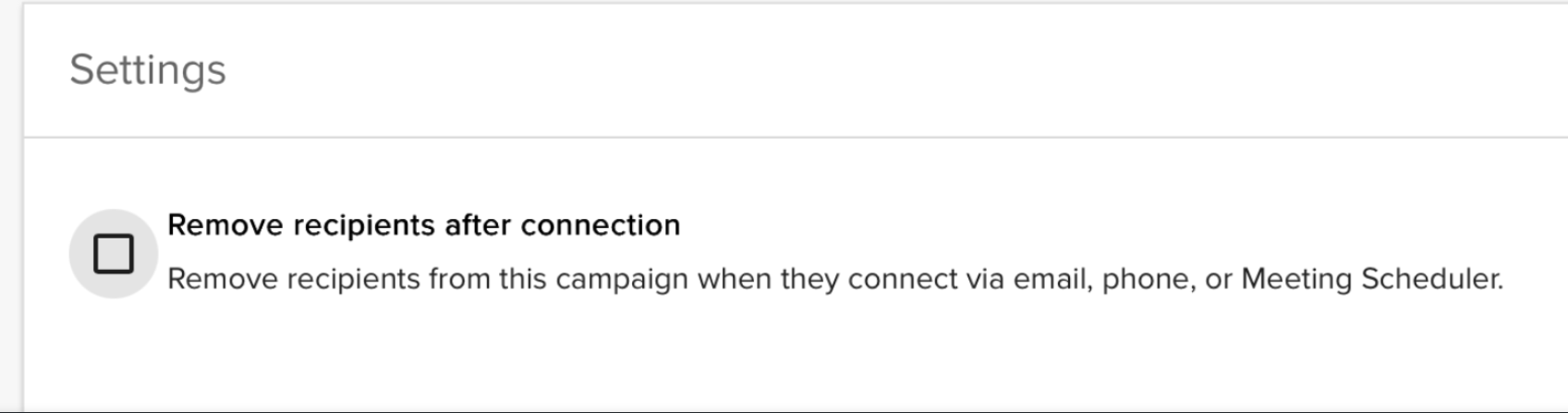
If the Remove recipients after connection option is disabled in the campaign's settings, connected recipients remain in the campaign and are still enrolled into the follow-up campaign once it completes.
The follow-up campaign's own timing still applies. After the start delay passes, the follow-up campaign's first touch sends according to that campaign's own date and time-of-day settings. For example, with a 2-day delay and a follow-up whose first touch is set to 10:00 AM, the first email sends at the next 10:00 AM after the 2-day delay.
One follow-up per campaign. Each campaign can point to a single follow-up campaign. You can chain multiple campaigns together in sequence, as long as a recipient is only active on one campaign at a time.
Opted-out and bounced recipients are protected. Anyone who has opted out or whose email has bounced is skipped and never enrolled into the follow-up campaign, even if they otherwise completed the campaign without connecting.
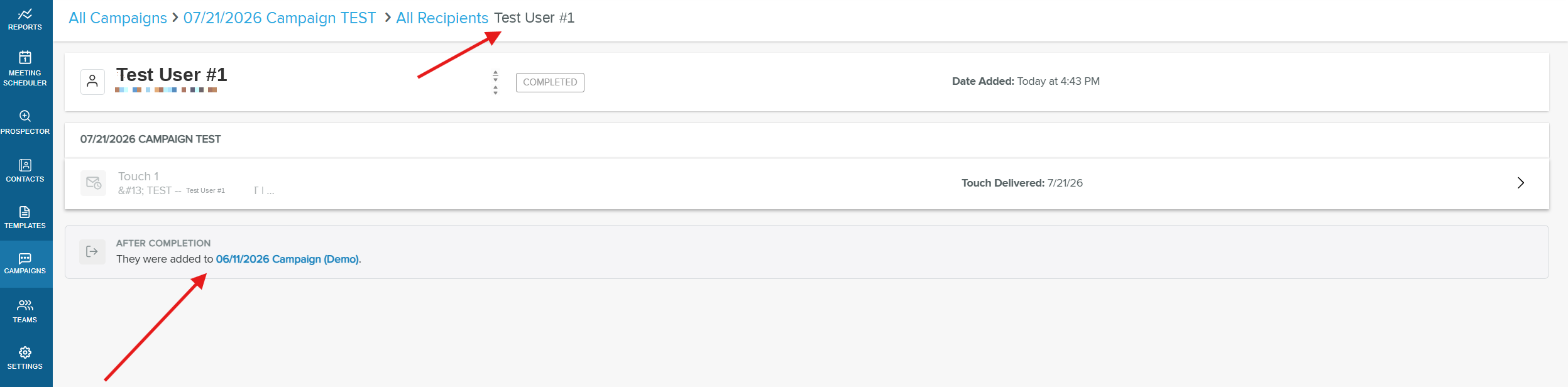
On a recipient's record, an After completion note shows which follow-up campaign they were added to once they complete the first campaign.
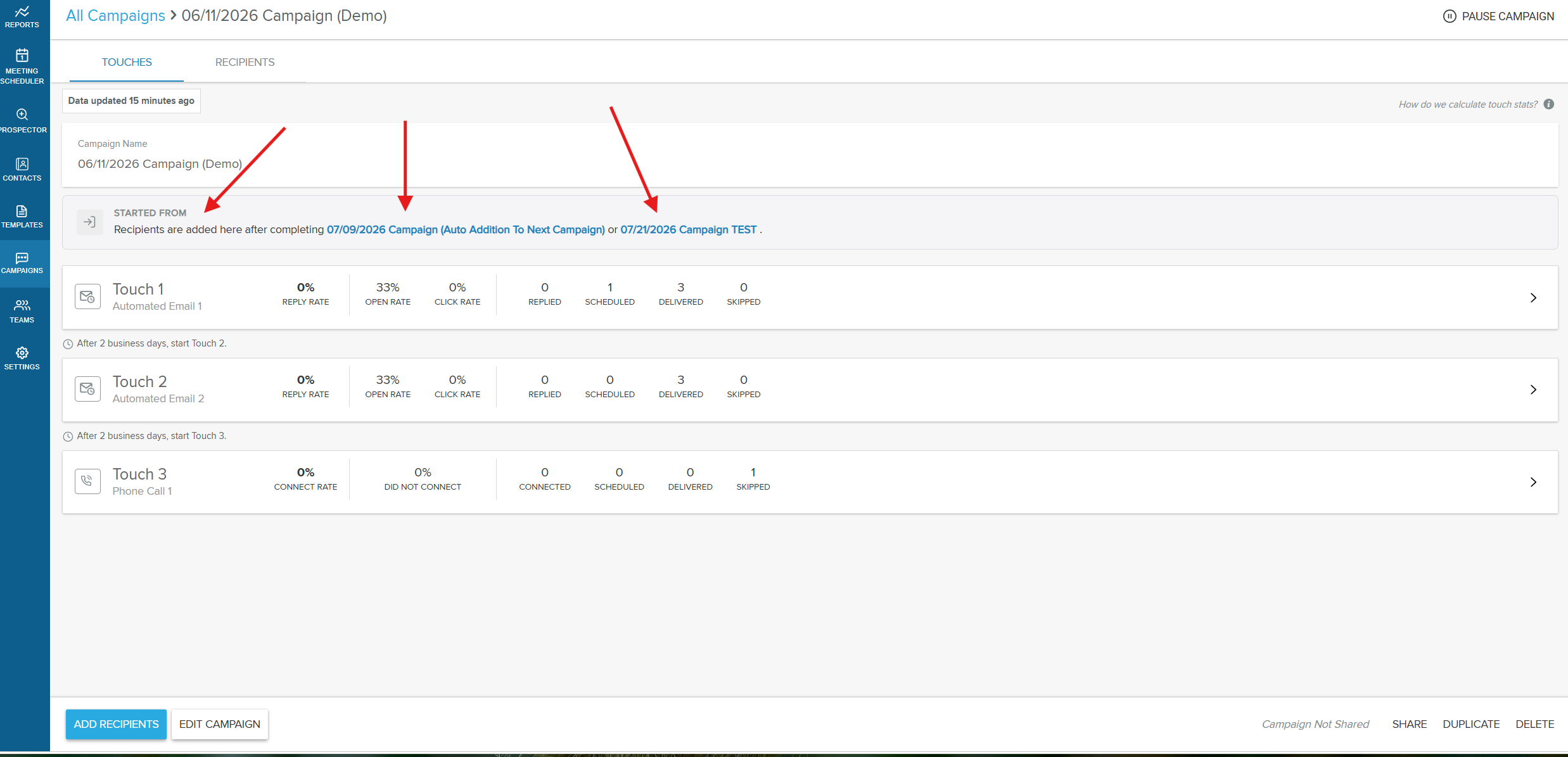
On the follow-up campaign, a Started from note lists the source campaigns whose completed recipients feed into it.
Frequently Asked Questions
Who can set up a follow-up campaign?
Any Campaign user can. Anyone who builds and runs campaigns can attach a follow-up campaign within their campaign settings.
When exactly does the follow-up campaign start?
The start delay is measured from when the recipient completes the first campaign. After that delay, the follow-up campaign's first touch sends according to that campaign's own date and time-of-day setting. For example, with a 2-day delay and a follow-up whose first touch is set to 10:00 AM, the first email lands at the next 10:00 AM after the 2-day delay.
What happens if a recipient replies, connects by phone, or books a meeting?
These recipients are treated as connected and are not added to the follow-up campaign, as long as the Remove recipients after connection option is enabled in the campaign. Follow-up enrollment only applies to recipients who complete the campaign without connecting.
Does this change or affect the original campaign?
No. Enrolling recipients into the follow-up campaign is a separate action that happens after they complete the first campaign. The original campaign and its history are unchanged.
Can a recipient be added to a follow-up campaign they've been in before?
Yes. They are re-enrolled, which matches how manual enrollment already works. Their previous history in that campaign stays intact.
What if a recipient has opted out or their email has bounced?
They are skipped and not enrolled, even if they otherwise completed the first campaign without connecting.
How many follow-up campaigns can I chain to a campaign?
Each campaign can point to a single follow-up campaign. You can chain multiple campaigns together in sequence, as long as a recipient is only active on one campaign at a time.
What's the longest start delay I can set?
Up to 90 days.
If I duplicate a campaign, does it copy the follow-up setting?
No. Duplicating a campaign does not carry over the follow-up campaign or start delay, so you'll need to set those up again on the new copy.
What if the follow-up campaign is paused or deleted, or the recipient is already in another active campaign?
In those cases the recipient is not enrolled into the follow-up campaign.