Import a Direct Report's Template Into a Shared Team Folder
If you are designated as a Team Leader, you can copy a template owned by one of your direct reports directly into a shared team template folder without asking the direct report to share it or recreating it from scratch. This lets you make a direct report's top-performing messaging available to the rest of your team in a few clicks.
Who can see this
This feature relies on the existing Teams feature, which is only available on the Premium and Enterprise plans. The Import Template option is only available to Team Leaders, and only for templates owned by their direct reports. Direct reports managing their own personal templates do not see this option.
Your access depends on how your Team is set up. See Teams for how Team Leader roles and direct reports are assigned.
How to import a template
- Go to the Yesware AppSite and select
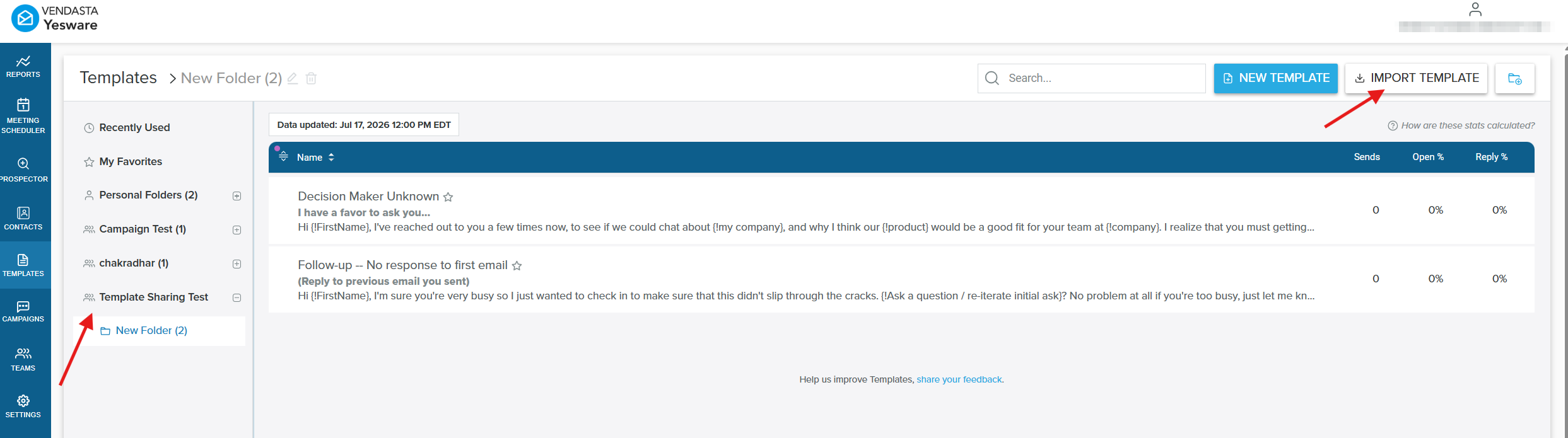
Templatesin the left navigation panel. - Open the team template folder you want to import a template into, then click
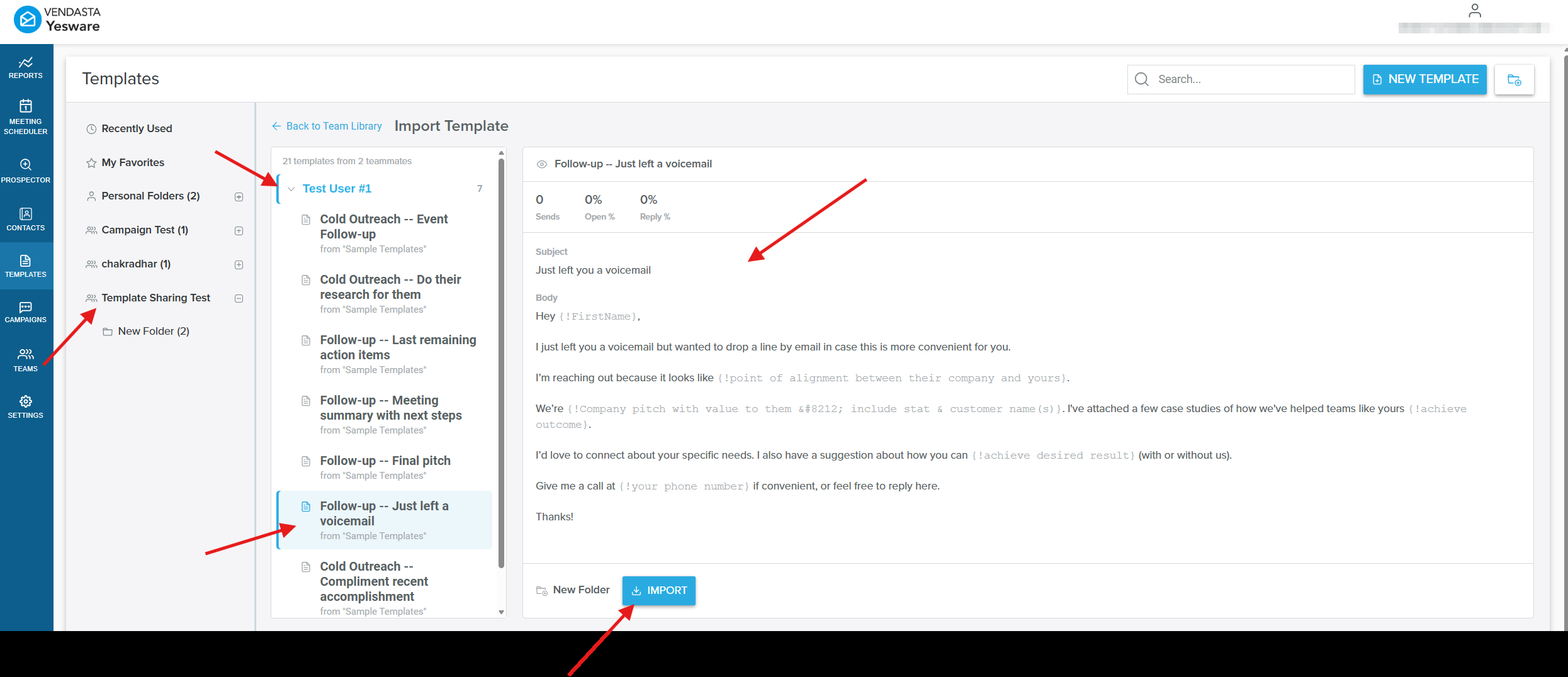
Import Templatein the top-right of the Templates page. - Browse the templates of the team members you manage, grouped by teammate.
- Select a template to preview its subject line and body content.
- Click
Importto copy the template into the team template folder you opened in step 2.
Key behaviors
- The copy is independent. Editing the copy does not change the original template, and the original stays untouched in the direct report's personal template folder.
- Only templates owned by team members you directly manage are eligible to import.
- You choose the destination team template folder before importing.
- The
Import Templateoption only appears for Team Leaders, keeping the Templates view focused for direct reports managing their own personal templates.
Frequently asked questions
Who can copy or import a template into a team library?
This feature relies on the existing Teams feature, which is only available on the Premium and Enterprise plans. Only users designated as a Team Leader can copy templates owned by the direct reports they manage into the team's shared template folders.
Does copying a template change or remove the original?
No. The copied template is completely independent. The original stays untouched and owned by the direct report in their personal template folder, and editing the copy does not affect it.
Can I copy any of my direct reports' templates?
Yes. You can copy any template owned by a direct report you manage. Templates created by people outside your team are not available to import into your team's shared template folders.
Does the template's owner get notified when I copy it?
No. There is no notification sent to the original template owner when you copy their template into a team template folder.
Where does the copied template end up?
You choose the destination team template folder as part of the import process.