AI-Generated Review Responses
What are AI-generated review responses?
Reputation AI uses artificial intelligence in the Manage Reviews section so you can quickly create review responses. This feature works for accounts with Reputation AI Pro and Premium. The AI-suggested response feature can respond directly to Google or Facebook reviews, and can also generate responses you copy over to other review sites.
Why are AI-generated review responses important?
This feature streamlines the process when you want to quickly respond to a review on Google or Facebook, saving time, improving the ease of content creation, reducing the research needed, and helping you interact with your audience faster.
How do AI-generated review responses work?
Go to the Reputation AI dashboard then click Reviews → Manage Reviews in the main menu. Filter reviews by Without Responses to display the reviews that require a response. Look for Suggest response and select that:
After clicking Suggest response the AI will generate a response. If you have templates set up in different languages, the AI can even understand the language that the review was left in, and will respond in the detected language.
The Suggest response option only appears if there are response templates corresponding to the rating/star number given in the reviews.
To ensure the AI response templates appear, you need to have response templates that cover all star ratings, including the missing 1-star or 2-star cases.
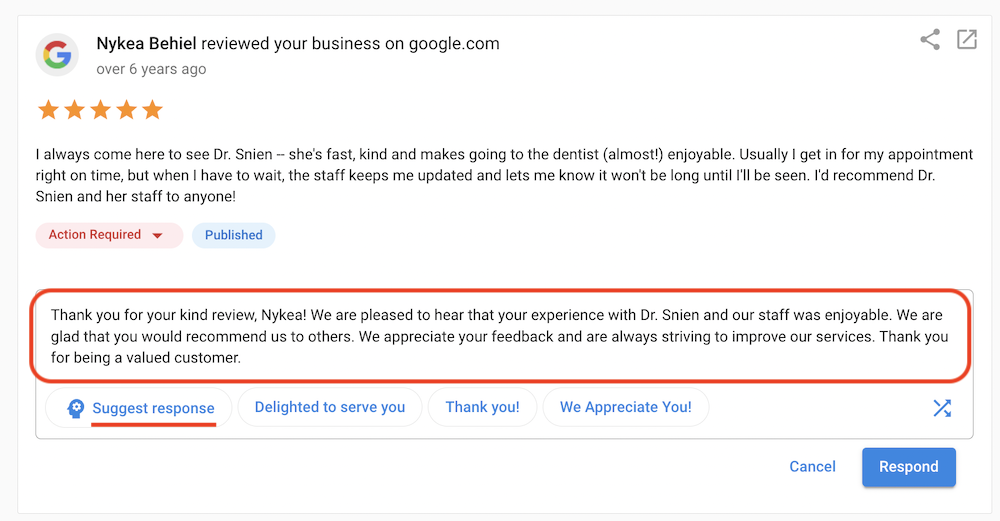
After the AI response is generated, you can make edits or changes to it. If you are satisfied with the response, simply click the Respond button.
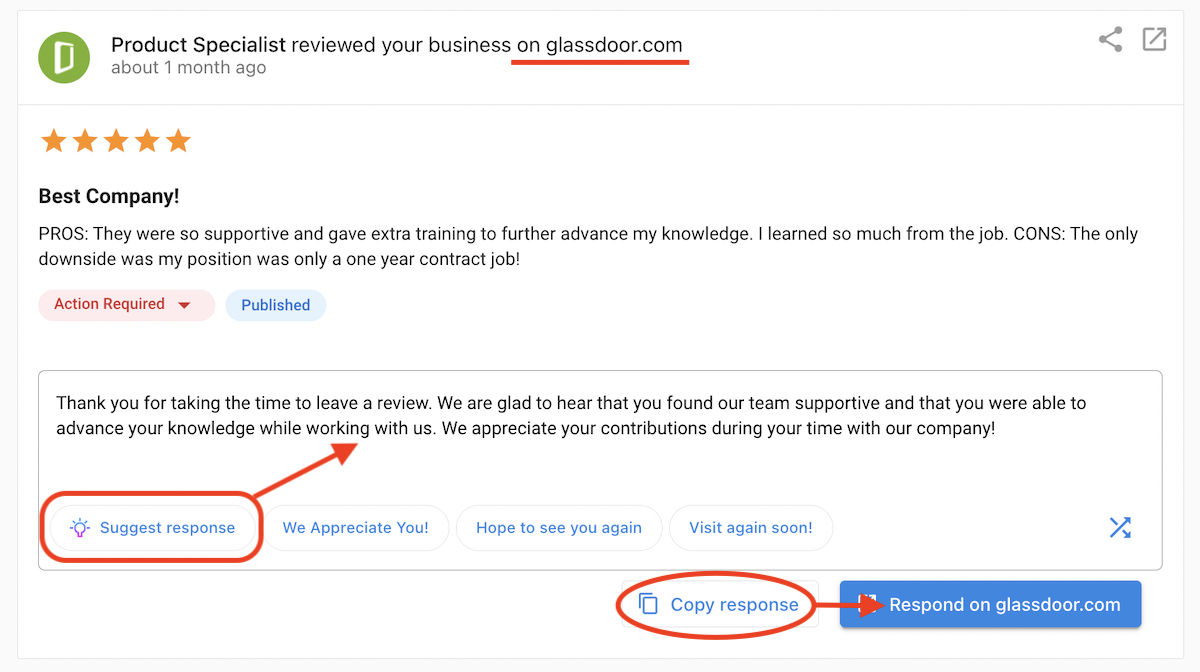
The AI-suggested response feature can also be used to respond to reviews from other sites. Simply click the Suggest response button to generate the response then click Copy response → Respond on [review site] where this AI-generated response can be used.
Frequently asked questions
Does the AI learn from my past responses?
The AI primarily uses general best practices and the context of the specific review to generate suggestions. It does not strictly "learn" from your personal history in real-time, but it is tuned to be professional and helpful.
Can I edit the AI response before sending?
Yes, absolutely. The AI provides a drafted suggestion which you are encouraged to edit, personalize, or correct before hitting send.
Is this available for all review sites?
Direct "one-click" posting is available for core sites like Google and Facebook. For others, you may use the "copy response" feature to paste the AI's suggestion manually.
Why didn't Reputation AI respond to recent reviews even though AI is enabled?
Automatic responses require a verified Google Business Profile. If your Google Business Profile is not verified, AI cannot post replies. Verify the profile, then confirm your AI response settings are still enabled. Contact support if responses still do not post after verification.