Email History
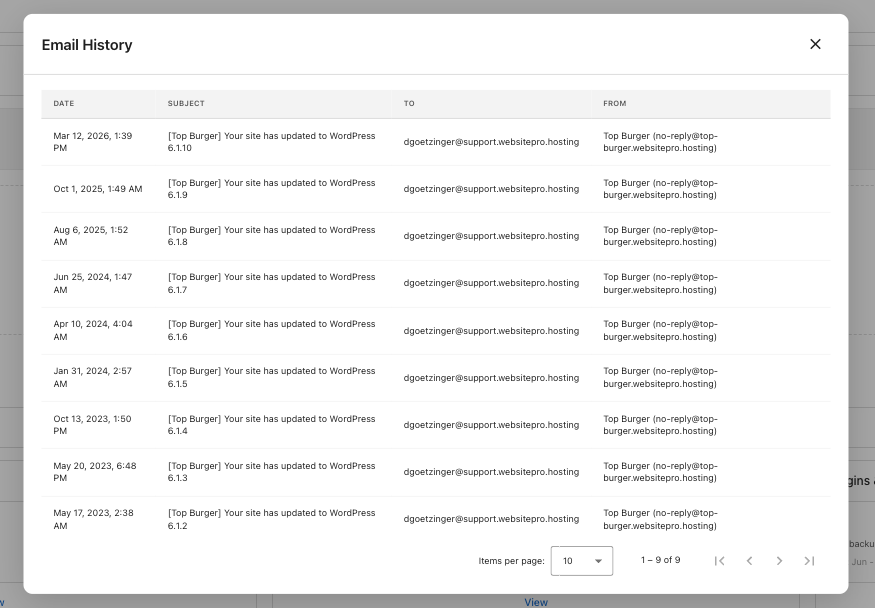
The Email History card shows every email your site has sent: form submissions, order confirmations, comment notifications, and anything else triggered by WordPress or your plugins. Available on all WordPress Hosting plans.
Use it to confirm an email went out, debug missing messages, or audit what your site is sending.
What you see
- Emails sent: Total messages sent from your site.
- Last: Timestamp of the most recent email.
Click View to open the full email log. Each row shows the Date, Subject, To, and From. Click a row to open the email's full detail, with Details and Events tabs (sent, delivered, opened, bounced).
Common uses
- Confirm a contact form submission was delivered.
- Audit what your site is sending and how often.
- Diagnose deliverability issues for any notification your site sends.
tip
If a recipient says they didn't get an email, open the email in the log and check the Events tab. A delivered event means the email reached their mail server. The issue is most likely a spam filter on their side.