Connect Multiple Facebook Ad Accounts
Connect multiple Facebook Ad accounts
Businesses may have ad campaigns spread out across different Facebook Ad accounts. In Advertising Intelligence, monitor, manage, navigate, and keep track of all your ad campaigns and accounts. Total impressions, clicks, and conversions display in the Executive Report. Plus, with Advanced Reporting enabled, access metrics for all campaigns under each connected account, making it easier to track your performance and ROI.
How does it work?
Adding multiple accounts
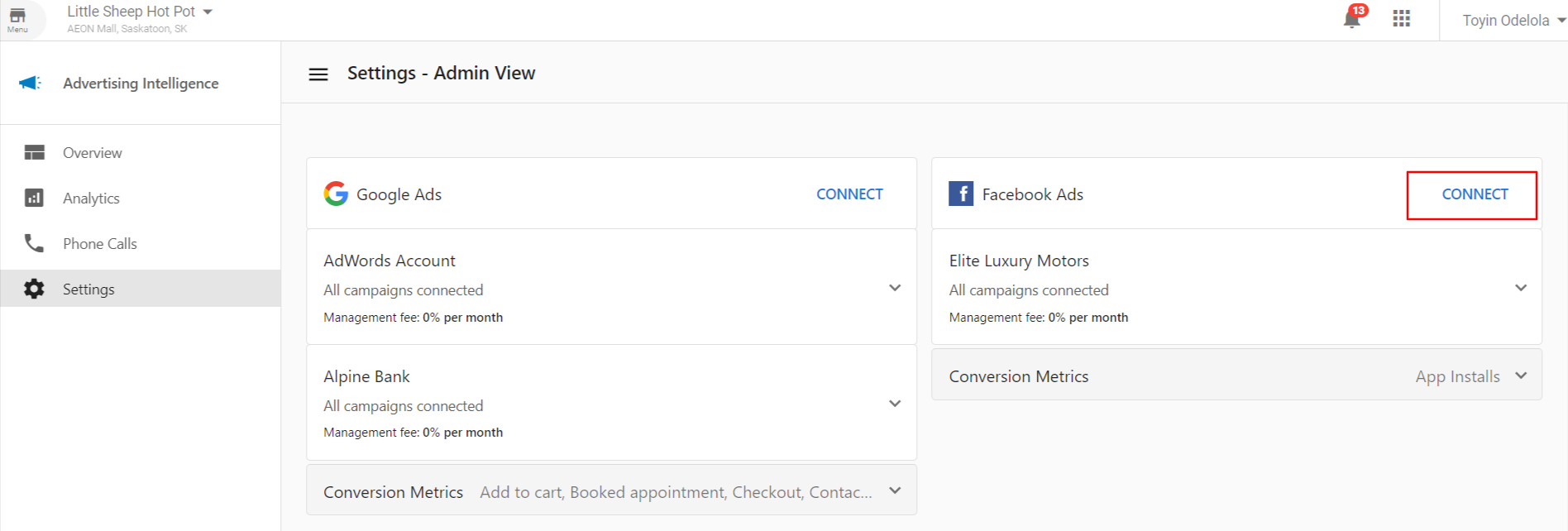
- To add new Facebook Ad accounts, go to
Advertising Intelligence→Settings. - Click the
Connectbutton under Facebook Ads. - Once you've connected an account, the
Connectbutton for Facebook Ads remains available. Connect as many accounts as you want.
Viewing stats
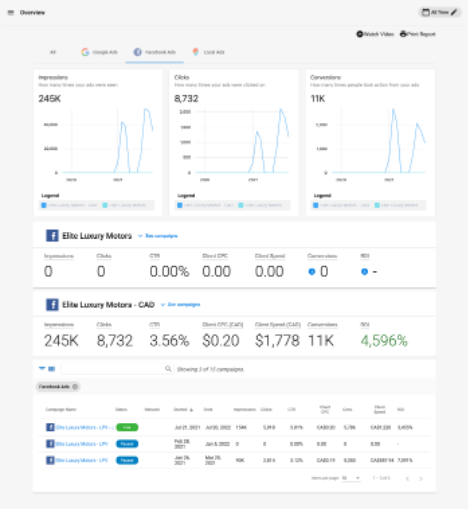
When multiple accounts are connected, stats for each account appear on the Overview page. Campaigns under each account are also included in the Campaigns list table.