Connecting Microsoft Bing Ads
Connect Microsoft Bing Ads with Advertising Intelligence to track ad spend and performance data.
Prerequisites
Before connecting, ensure you have:
- An active Advertising Intelligence account.
- A Microsoft Bing Ads (Microsoft Advertising) account.
While connecting Microsoft Bing Ads without Advanced Reporting is possible, only account-level statistics are reported.
Connecting Microsoft Bing Ads
-
Access Advertising Intelligence: Open Advertising Intelligence and navigate to your account.
-
Locate Connections Settings: Navigate to
Settings→Connectionsin your Advertising Intelligence account.
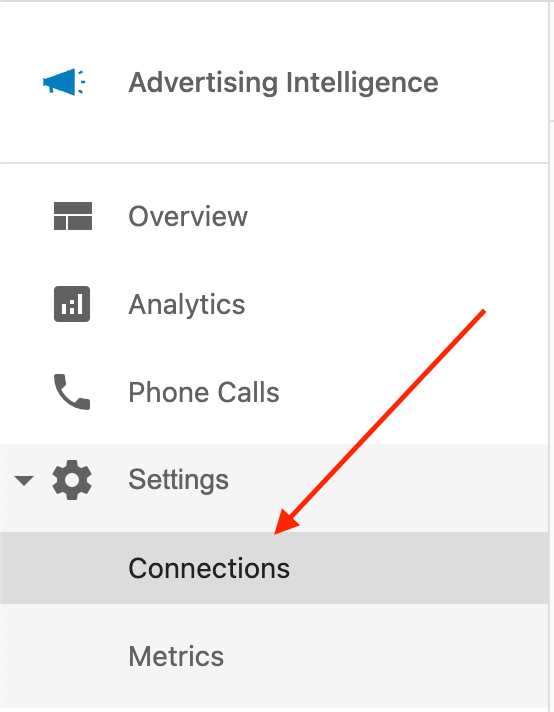
- Connect to Microsoft Advertising: Within the Connections settings, locate the
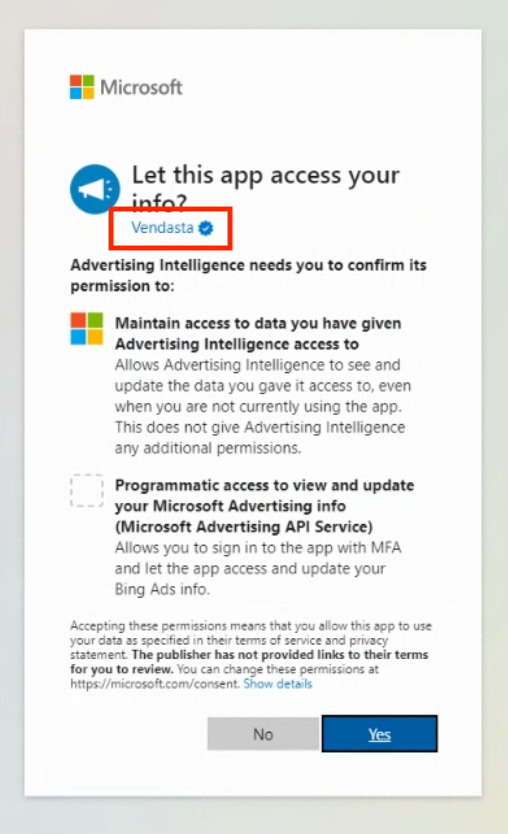
Microsoft Adsoption and clickConnect. Follow the prompts on Microsoft's authentication page to sign in with your Microsoft Bing Ads account.

- Complete authentication: After you grant the required permissions, the connection completes and campaign data begins syncing to your Advertising Intelligence dashboard.
Viewing your Microsoft Bing Ads data
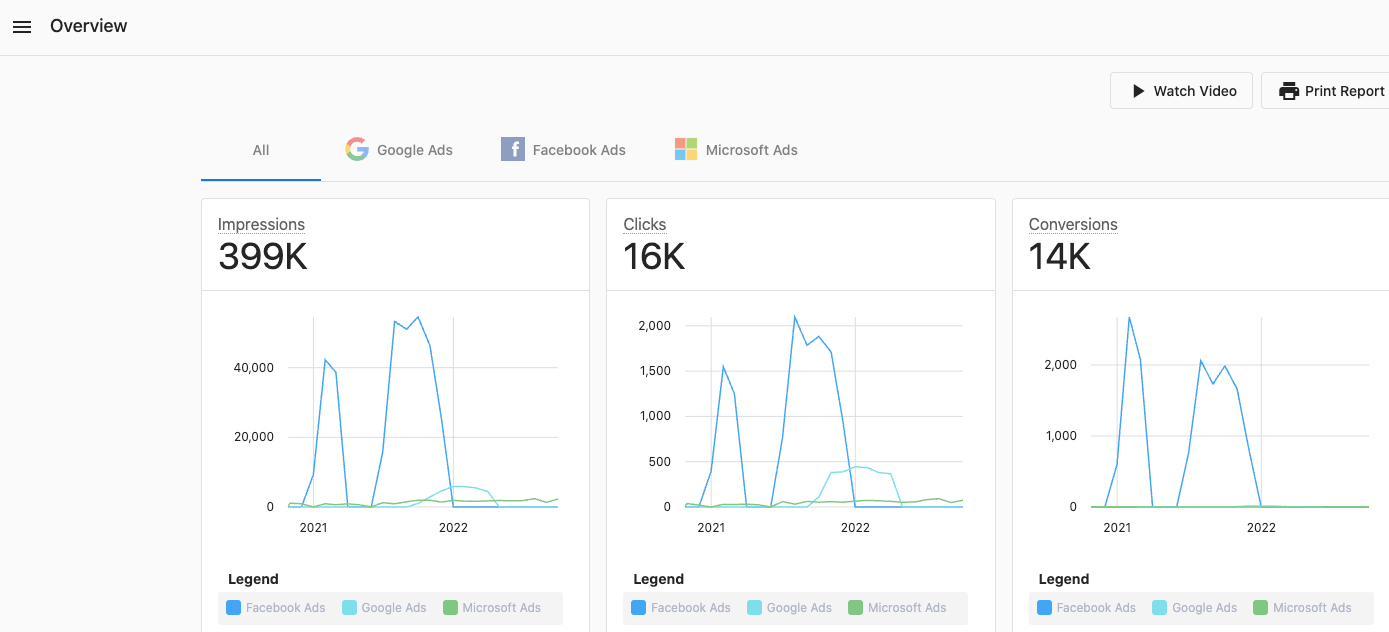
Once connected, your Microsoft Bing Ads (Microsoft Advertising) data is available in Advertising Intelligence:
Alltab: Consolidated data for all your connected advertising platforms, including Microsoft Bing Ads, appears under theAlltab.Microsoft Adstab: A dedicated tab shows your Microsoft Bing Ads campaign statistics.OverviewandExecutive Report: Your Microsoft Bing Ads data is included in the Overview section and in the Executive Report under the Advertising section.

Disconnecting Microsoft Bing Ads
Disconnecting will stop data from syncing. Reconnect later if you need to restore the integration.
To disconnect Microsoft Bing Ads:
- Navigate to
Settings→Connectionsin Advertising Intelligence. - Find
Microsoft Adsin the list of connections. - Click
Disconnect(or the equivalent control). - Confirm the disconnection when prompted.
Troubleshooting
If you encounter issues with your Microsoft Bing Ads connection:
-
Verify your Microsoft Bing Ads (Microsoft Advertising) account has active campaigns and ads.
-
Check that you have the correct permissions in your Microsoft Advertising account.
-
Try disconnecting and reconnecting the account in Advertising Intelligence.
-
Clear your browser cache and cookies, then try the connection process again.
-
Contact support if problems persist.
Frequently asked questions
Can I start a new campaign from here?
No, Advertising Intelligence is a reporting tool meant to show the performance of digital advertising campaigns across multiple platforms in a clean and easy-to-read format.