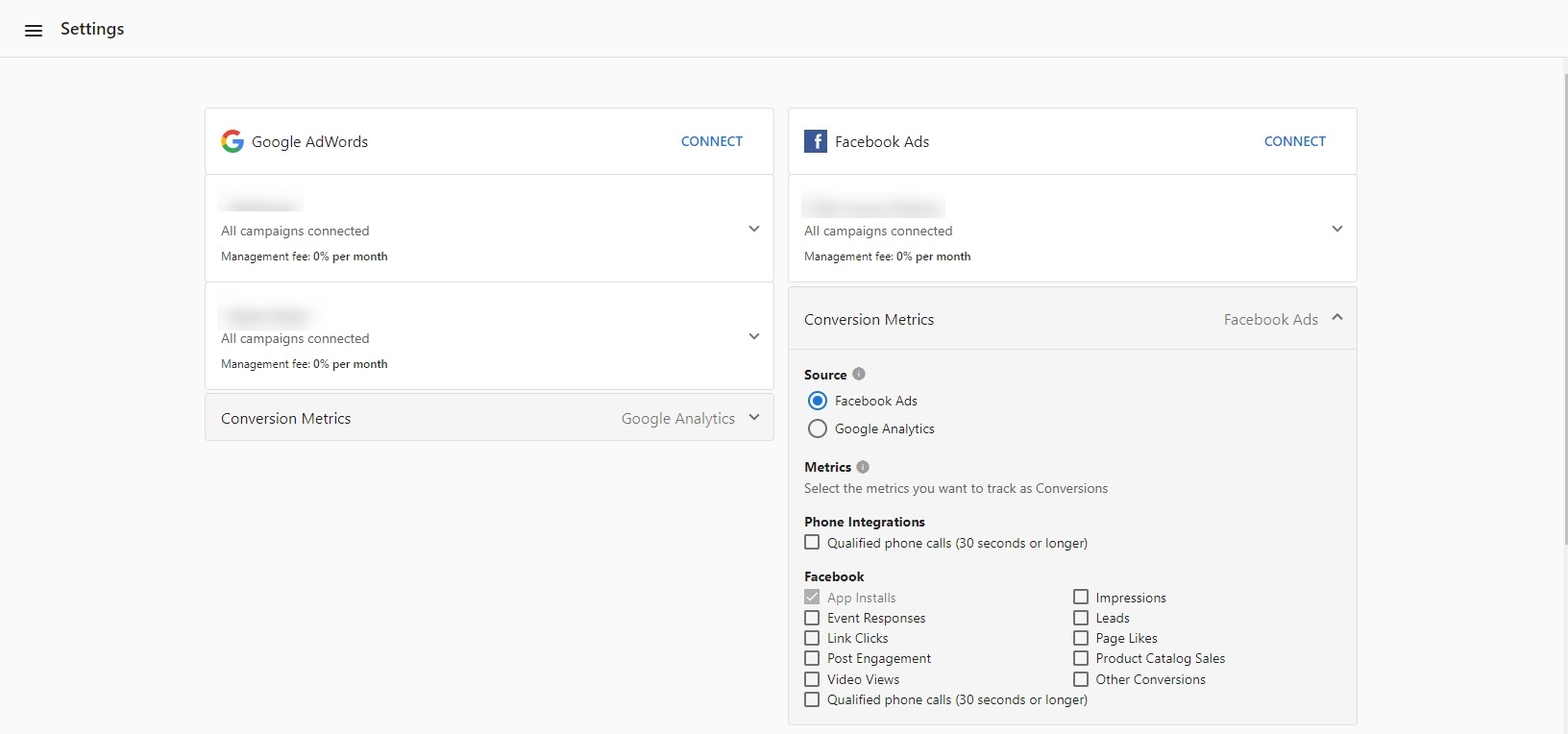
Custom conversion selection for Facebook Ads
With the Advanced Reporting add-on, you can select specific conversion metrics for your Facebook advertising campaigns.
How does it work?
With the Advanced Reporting add-on activated:
- Go to
Settingsin Advertising Intelligence. - Below the connected Facebook Ads account, select
Conversion Metrics. - In the drop-down menu, select the conversion metrics you want to display for this account.
Website Conversionsis selected as the default. - Select as many conversions as you want to include in the campaign reporting. The selected conversions directly affect the conversion number reported in the product and in the Executive Report.
If the account doesn't have Advanced Reporting activated, upgrade by selecting Purchase Advanced Reporting from the Overview or Settings page in Advertising Intelligence.