Connecting Simpli.fi Ads to Advertising Intelligence
Connect your Simpli.fi Ads campaigns with Advertising Intelligence to track performance metrics and view comprehensive reporting.
Prerequisites
Before connecting your Simpli.fi Ads account, ensure that:
- You have an active Simpli.fi Ads account
- You have administrator access to your Simpli.fi Ads account
- You have the
Application KeyandUser Keyfrom Simpli.fi
Connecting your Simpli.fi Ads account
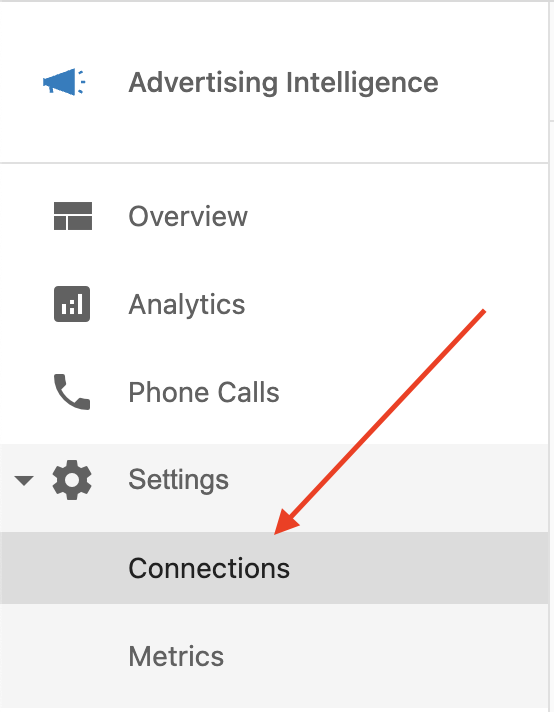
1. Navigate to connection settings
Open Advertising Intelligence and go to Settings → Connections.
2. Connect to Simpli.fi
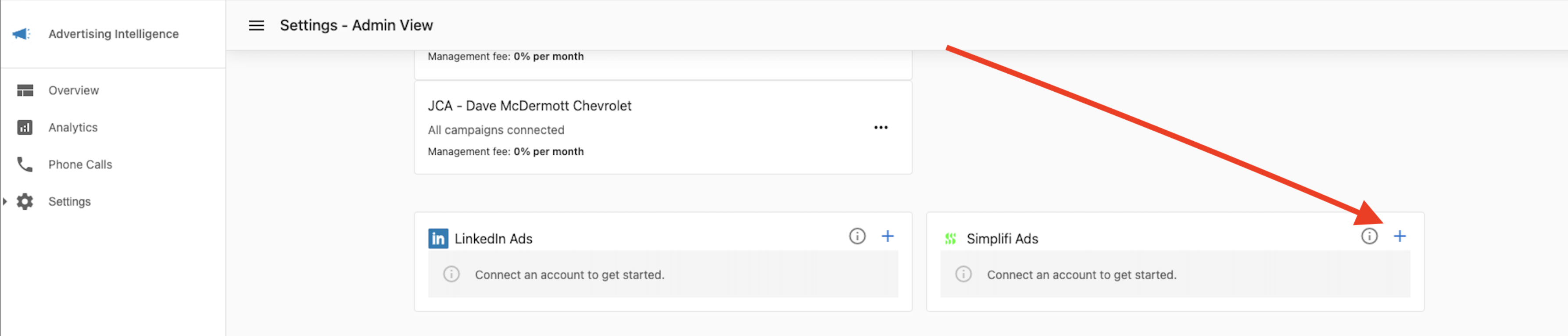
Find and click on the Simplifi Ads network tile in the list of available ad networks.
3. Enter your API keys
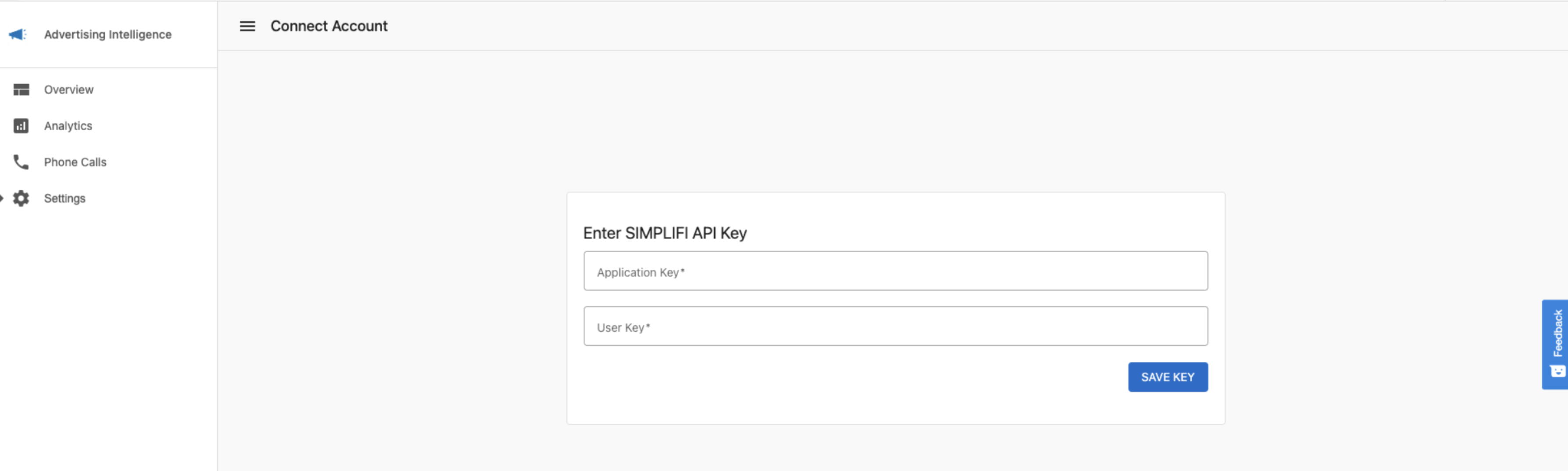
You'll need to enter two pieces of information to connect to Simpli.fi:
Application Key: This key identifies your Simpli.fi applicationUser Key: This key authenticates your access to the Simpli.fi API
4. Confirm connection
After entering your keys, click Connect to complete the connection. You'll see a confirmation page when the connection is successful.
5. Select accounts and campaigns
After connecting, select which accounts and campaigns you want to import into Advertising Intelligence.
Viewing your Simpli.fi campaign data
Once connected, your Simpli.fi campaign data is available in your Advertising Intelligence dashboard. You can view metrics such as:
- Impressions
- Clicks
- Click-through rates (CTR)
- Cost
- Conversions
- And more
Troubleshooting
If you encounter issues connecting your Simpli.fi account:
- Verify that your Application Key and User Key are correct
- Ensure your Simpli.fi account has API access enabled
- Check if your API keys have the necessary permissions
- Contact Simpli.fi support if you need to obtain or reset your API keys
Next steps
After connecting your Simpli.fi Ads account, you can:
- Create custom reports including Simpli.fi data
- Set up automated reporting
- Compare performance across different ad networks