Monthly Account Activity Report
The Monthly Account Activity Report gives you a full picture of how every member of your account is using Yesware in a given month. You can request it yourself from the Report Downloads page, choose the month you want, and have it emailed to you as a CSV. The report covers each member's usage across emails, templates, campaigns, CRM sync, and meetings.
The Monthly Account Activity Report is available on the Enterprise and Premium plans, including all Enterprise and Premium variants such as Enterprise Trial. Yesware Admins also keep their existing access from the account admin page.
What the report includes
- One row per member of your account.
- Monthly feature usage across core areas: emails sent, tracked, and synced; templates inserted and created; campaigns; CRM sync; and meetings.
- Data for the single month you select, from any of the last 13 complete months.
Because the report lists every member on one line across each core feature, it is a quick way to see who is active, who could use enablement, and how your account is adopting Yesware.
How to request the report
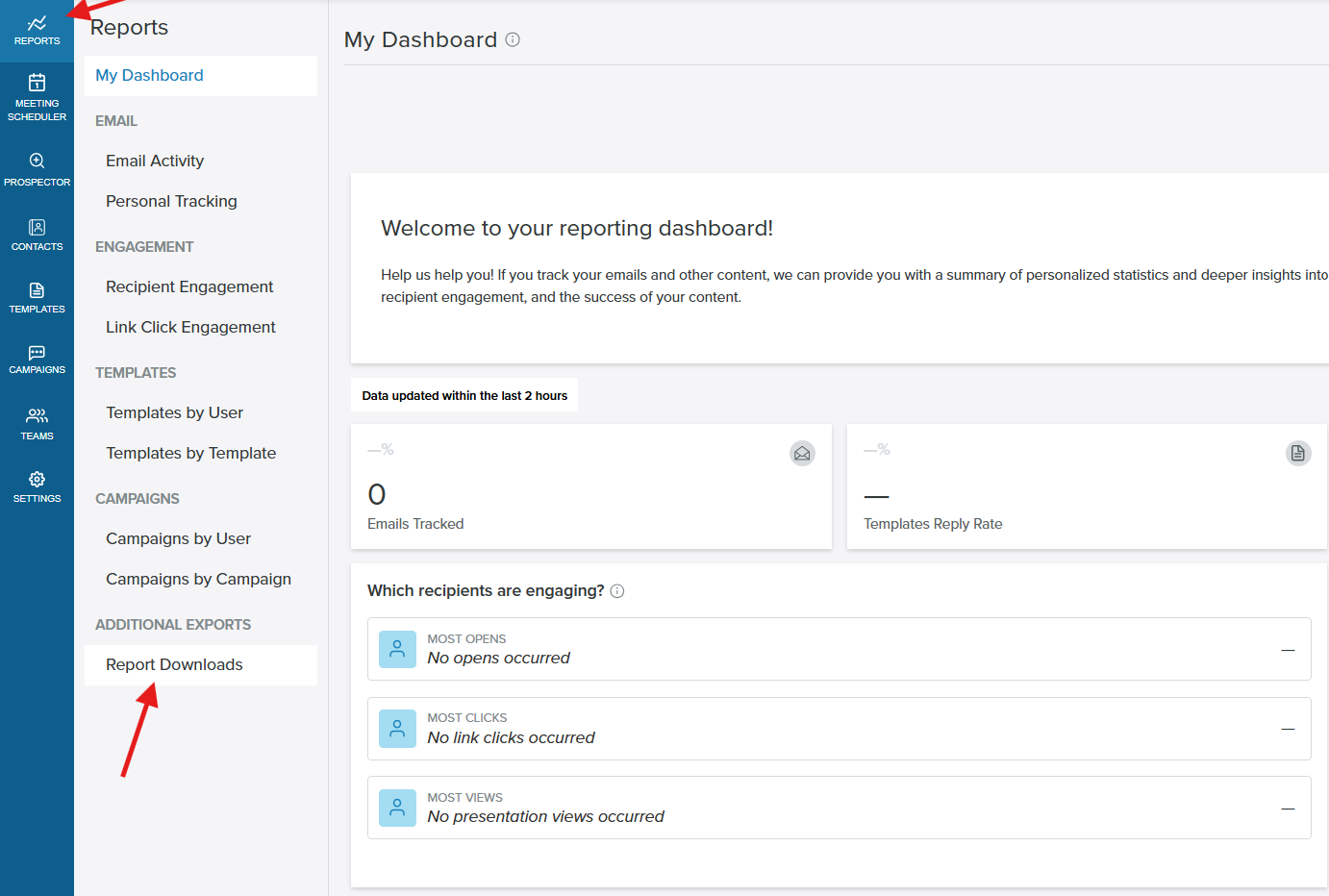
- Go to the Yesware AppSite and select Reports in the left navigation panel.
- Under Additional Exports, click Report Downloads.
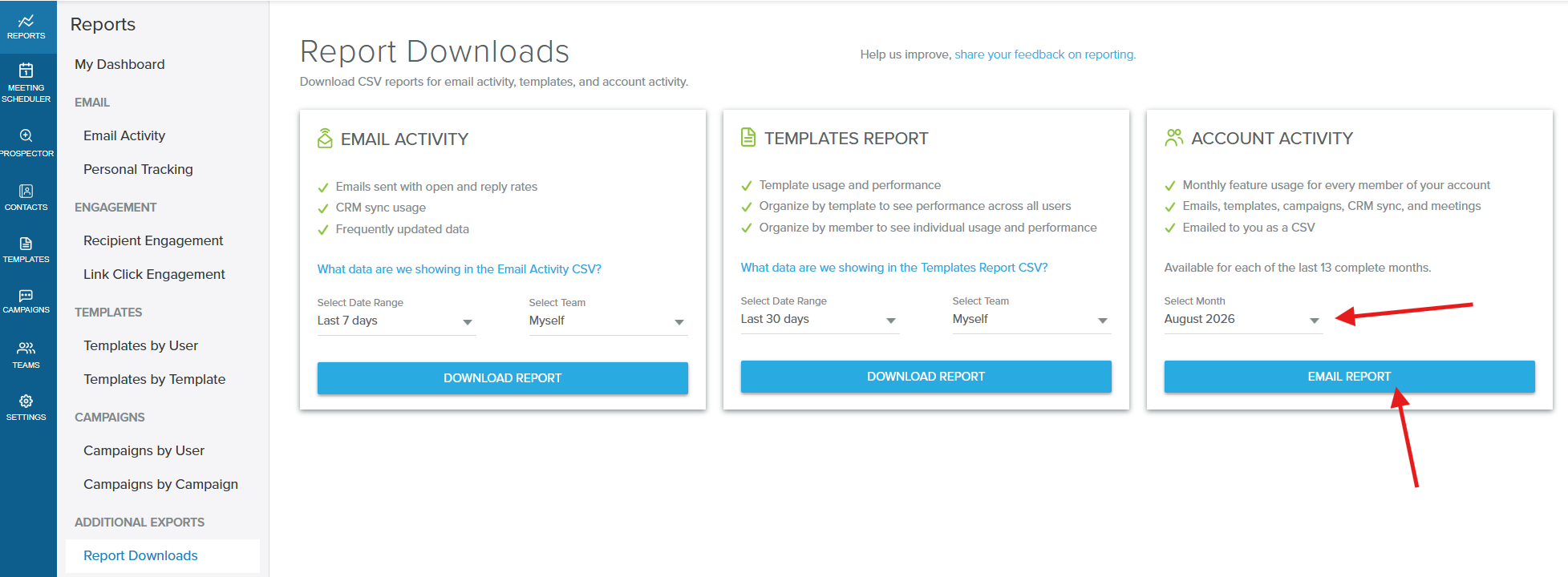
- On the Account Activity card, open the Select Month dropdown and choose the month you want. Any of the last 13 complete months is available.
- Click Email Report.
The first time a particular month is requested, the report is prepared in the background before it is emailed, so it can take a little longer to arrive. A month that has already been prepared is returned more quickly.
How the report is delivered
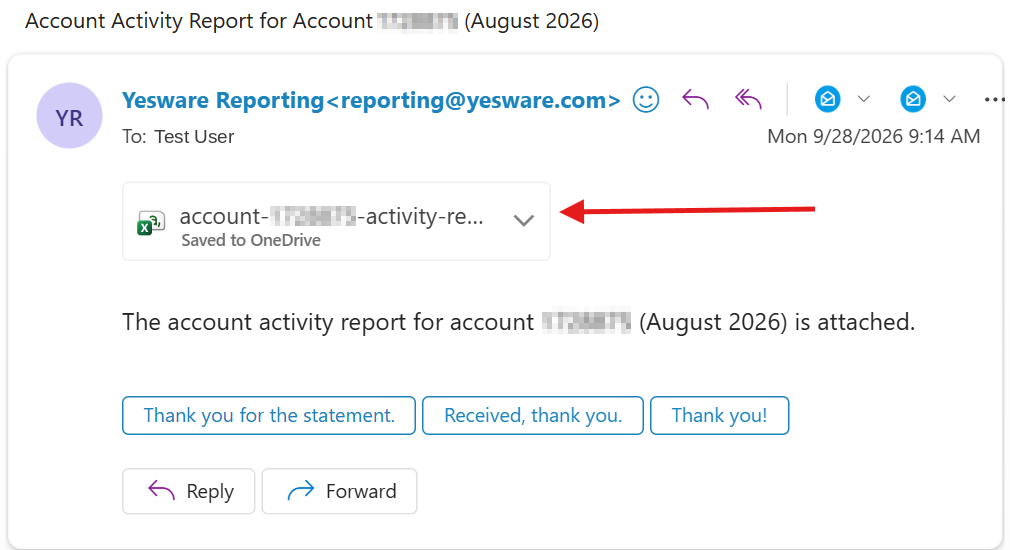
The report is emailed to you as a CSV attachment from Yesware Reporting. The deliverable is the attached file rather than an on-screen view, so check your inbox after clicking Email Report.
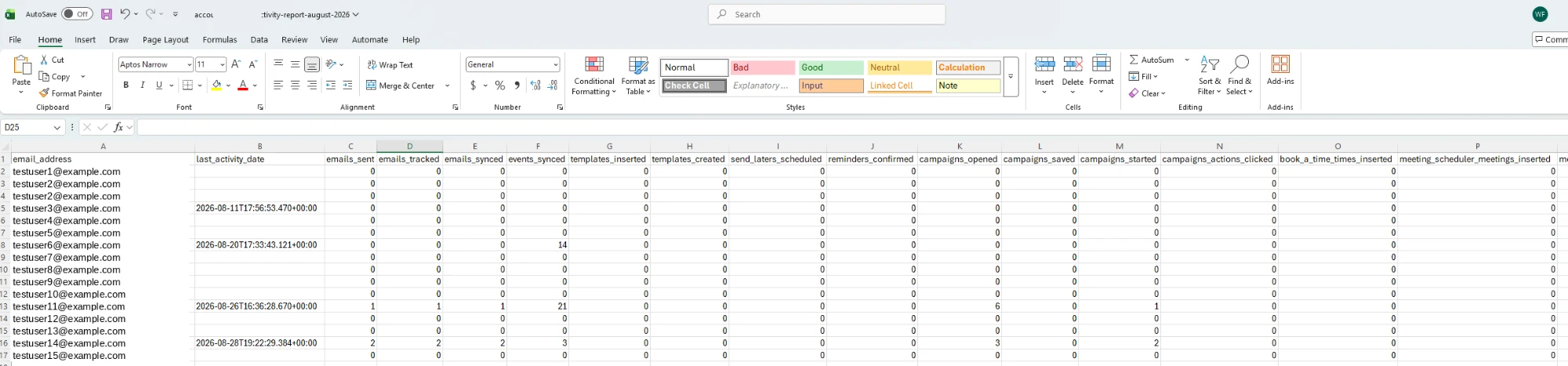
Open the CSV in any spreadsheet application to filter, sort, or analyze the data. Each row represents one member of your account, with columns for that member's monthly usage, including last activity date; emails sent, tracked, and synced; events synced; templates inserted and created; campaigns; CRM sync; and meetings.
Frequently asked questions
Who can request the Monthly Account Activity Report?
Account managers on the Enterprise and Premium plans, including all Enterprise and Premium variants such as Enterprise Trial. Yesware Admins also keep their existing access.
Which months can I select?
Any of the last 13 complete months, chosen from the Select Month dropdown. Only complete months are offered.
What data is in the report?
One row per member of your account, with that member's monthly feature usage: emails sent, tracked, and synced; templates inserted and created; campaigns; CRM sync; meetings; and related activity.
How is the report delivered?
It is emailed to you as a CSV from Yesware Reporting. The report is delivered as the attached file rather than shown on screen.
Why did my report take a little while to arrive?
The first time a particular month is requested, the report is prepared in the background before it is emailed. A month that has already been prepared is returned more quickly.
Can I open the report in a spreadsheet?
Yes. The report is a standard CSV file, so you can open it in Excel, Google Sheets, or any spreadsheet application to filter, sort, and analyze the data.